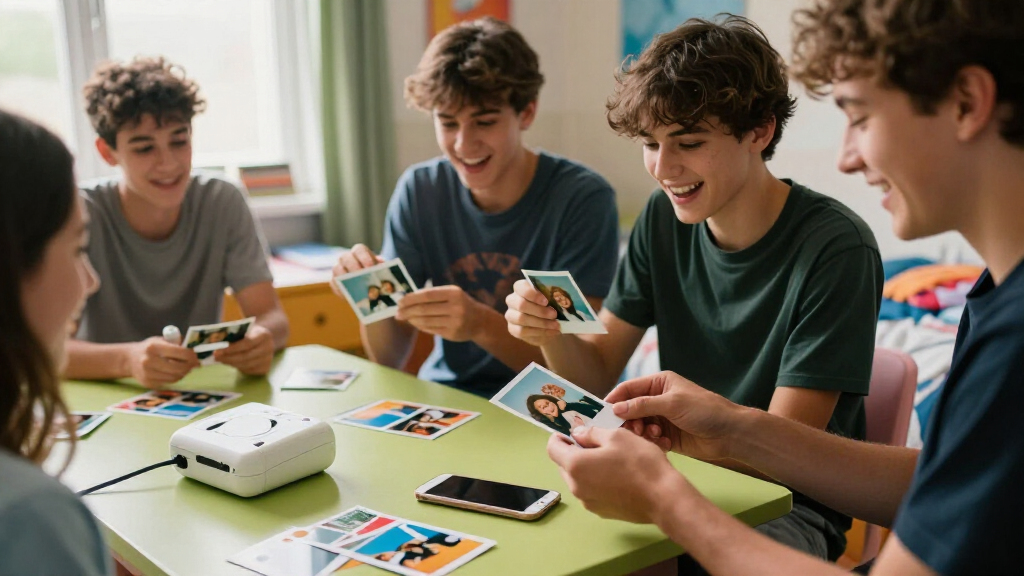
For teens who want phone photos they can stick on a locker, trade with friends, or pin to a wall, the right instant photo printer makes all the difference. The Kodak Dock Plus 4PASS earns my top spot for its sharp 4×6 dye-sublimation prints and dock design that charges a phone while it prints, though it trades away portability. If pocketability matters more, the Fujifilm Instax Mini Link 3 and Liene Pearl K100 deliver sticky-backed 2×3 prints in a body small enough for a backpack. The core tradeoff in this category is print size and quality versus cost and convenience: dye-sublimation printers like the Kodak and Liene M100 produce lab-quality prints at a higher upfront cost, while ZINK-based models like the Nelko PP01 and Canon Ivy 2 are cheaper to buy but softer in color. Keep reading for the full breakdown of all 14 printers and which one fits your teen’s habits and budget.

Get movie nights delivered free — and shop member deals
- Fast, free delivery on millions of items
- Access to Prime Big Deal Days deals on October 6–7
- Prime Video, Amazon Music and more included
Key Takeaways
- Dye-sublimation printers (Kodak Dock Plus, iDPRT CP4100, Liene M100, Amber M110, Pearl N200 Pro) clearly beat ZINK models on print quality, with richer color and an overcoat layer that resists smudges and fading — worth the higher ink-cartridge cost for teens who keep photos long-term.
- The 2×3 sticky-back format from the Nelko PP01, Canon Ivy 2, Liene Pearl K100, and Instax Mini Link 3 emerged as the teen favorite for scrapbooking, journals, and trading prints, while 4×6 printers suit teens who want framable, gift-worthy photos.
- The Fujifilm Instax Mini Link 3 stands apart as the only film-based option, offering a fun, party-friendly printing experience but the highest cost per print — a tradeoff parents should factor into ongoing spending.
- Bundle deals including film or paper (the iDPRT CP4100 with 108 sheets, Liene M100 with 100 sheets, and Instax Mini Link 3 with 20 exposures) shift the value math considerably in the first year of ownership.
- App quality became a real differentiator: Kodak‘s and Liene‘s apps offer filters, stickers, and collage modes teens actually use, while a couple of budget models pair with apps that feel dated and clunky.
| KODAK Dock Plus 4PASS 4×6 Photo Printer with Smartphone Dock |  | Best for Shared Keepsakes | Print size: 4×6 inches | Printing technology: 4PASS dye sublimation | Print time: Approximately 55 seconds | VIEW LATEST PRICE | See Our Full Breakdown |
| KODAK Step Instant Smartphone Photo Printer, White |  | Best for On-the-Go Scrapbooking | Print size: 2×3 inches (5.1×7.5 cm) | Printing technology: ZINK zero-ink | Connectivity: Bluetooth and NFC | VIEW LATEST PRICE | See Our Full Breakdown |
| Liene Pearl K100 Mini Portable Photo Printer, 2 × 3-Inch Zink Adhesive Photo Printer for iOS and Android, Green |  | Best Lightweight Pick | Model: Pearl K100 | Print size: 2×3 inches | Printing technology: ZINK | VIEW LATEST PRICE | See Our Full Breakdown |
| HP Sprocket Portable Photo Printer (2nd Edition), Luna Pearl |  | Best for Group Printing | Model: 2nd Edition | Color: Luna Pearl | Print size: 2×3 inches | VIEW LATEST PRICE | See Our Full Breakdown |
| iDPRT CP4100 4×6 Dye-Sublimation Photo Printer with 108 Sheets and 2 Ribbons |  | Best for Big Creative Projects | Printer type: Dye sublimation | Print size: 4×6 inches | Included photo paper: 108 sheets | VIEW LATEST PRICE | See Our Full Breakdown |
| Nelko PP01 Portable 2 × 3-Inch Photo Printer, Pink |  | Best Value Starter Pick | Print size: 2 × 3 inches | Printing technology: Inkjet | Resolution: 600 DPI | VIEW LATEST PRICE | See Our Full Breakdown |
| Canon Ivy 2 Mini Photo Printer, Blush Pink |  | Best Ink-Free Pocket Printer | Color: Blush Pink | Connectivity: Bluetooth 5.0 | Compatibility: iOS and Android devices | VIEW LATEST PRICE | See Our Full Breakdown |
| Liene Amber M110 Bluetooth Photo Printer with 80 Sheets |  | Best for Scrapbooking Projects | Printing technology: Thermal dye-sublimation | Connectivity: Bluetooth | Paper formats: 4×6-inch photo paper; 3×3-inch sticker paper | VIEW LATEST PRICE | See Our Full Breakdown |
| KODAK Mini 2 Retro Portable Photo Printer, White |  | Best Retro Aesthetic | Printer type: Dye sublimation | Print resolution: 291 × 300 | Print size: 2.1 × 3.4 inches | VIEW LATEST PRICE | See Our Full Breakdown |
| Liene M100 4×6-Inch Dye-Sublimation Photo Printer with 100 Sheets and 3 Cartridges |  | Best Premium Print Quality | Print size: 4×6 inches | Printing technology: Thermal dye sublimation | Connectivity: Built-in Wi-Fi hotspot | VIEW LATEST PRICE | See Our Full Breakdown |
| Liene Pearl N200 Pro Portable Dye-Sublimation Photo Printer, Purple |  | Best Creative App Experience | Printing technology: Dye-sublimation | Connectivity: Bluetooth | Print size: 2×3 inches | VIEW LATEST PRICE | See Our Full Breakdown |
| Fujifilm Instax Mini Link 3 Smartphone Printer, Sage Green, with 20-Exposure Instant Film and Cleaning Cloth |  | Best Bundle for Gift-Giving | Printer type: Zink technology | Photo size: 2 × 3 inches | Connectivity: Bluetooth 5.1 | VIEW LATEST PRICE | See Our Full Breakdown |
| Fujifilm Instax Mini Link 3 Smartphone Printer, Clay White |  | Best Pick for Style-Matching an Existing Instax Setup | Brand: Fujifilm | Product: Smartphone printer | Model: Instax Mini Link 3 | VIEW LATEST PRICE | See Our Full Breakdown |
| Nelko PP01 Portable 2×3 Photo Printer, White |  | Best Budget-Friendly Sticker Machine | Print size: 2 x 3 inches | Print resolution: 600 DPI | Printing technology: Inkjet | VIEW LATEST PRICE | See Our Full Breakdown |
| instant photo printers for teen | Connectivity | Print size | Printing technology |
|---|---|---|---|
| KODAK Dock Plus 4PASS 4×6 Phot | Bluetooth | 4×6 inches | 4PASS dye sublimation |
| KODAK Step Instant Smartphone | Bluetooth and NFC | 2×3 inches (5.1×7.5 cm) | ZINK zero-ink |
| Liene Pearl K100 Mini Portable | Bluetooth 5.2 | 2×3 inches | ZINK |
| HP Sprocket Portable Photo Pri | Bluetooth 5.0 | 2×3 inches | — |
| iDPRT CP4100 4×6 Dye-Sublimati | Built-in Wi-Fi hotspot, 2.4 GHz Wi-Fi, Bluetooth | 4×6 inches | — |
| Nelko PP01 Portable 2 × 3-Inch | Bluetooth | 2 × 3 inches | Inkjet |
| Canon Ivy 2 Mini Photo Printer | Bluetooth 5.0 | — | ZINK (Zero Ink) |
| Liene Amber M110 Bluetooth Pho | Bluetooth | — | Thermal dye-sublimation |
| KODAK Mini 2 Retro Portable Ph | Bluetooth | 2.1 × 3.4 inches | — |
| Liene M100 4×6-Inch Dye-Sublim | Built-in Wi-Fi hotspot | 4×6 inches | Thermal dye sublimation |
| Liene Pearl N200 Pro Portable | Bluetooth | 2×3 inches | Dye-sublimation |
| Fujifilm Instax Mini Link 3 Sm | Bluetooth 5.1 | — | — |
| Fujifilm Instax Mini Link 3 Sm | Bluetooth | — | — |
| Nelko PP01 Portable 2×3 Photo | Bluetooth | 2 x 3 inches | Inkjet |
More Details on Our Top Picks
KODAK Dock Plus 4PASS 4×6 Photo Printer with Smartphone Dock
I’d pick the KODAK Dock Plus for teens who want full-size prints to keep, display, or share with family. Its 4×6-inch format gives photos more presence than the pocket-size stickers from the KODAK Step, while the dock charges a phone during printing—a useful touch for a group project or sleepover photo session. The 4PASS process adds a protective laminate, so prints are designed to resist fingerprints, water, and fading. The tradeoff is freedom: unlike the rechargeable Step, this model needs a power outlet, and it only prints one size. Its app provides cropping and editing, but the printer is better suited to a desk or common room than to taking along in a backpack.
Pros:- Prints larger 4×6-inch photos than pocket printers such as the KODAK Step
- Integrated dock charges a compatible phone while printing
- Protective laminate helps prints resist fingerprints, water, and fading
- App supports photo editing and cropping
Cons:- Requires a power outlet, limiting where it can be used
- Prints only 4×6-inch photos
Best for: Teens who want durable, larger prints for room displays, albums, or sharing with family
Not ideal for: Teens who want a battery-powered printer for spontaneous photos away from an outlet
- Print size:4×6 inches
- Printing technology:4PASS dye sublimation
- Print time:Approximately 55 seconds
- Connectivity:Bluetooth
- Compatible devices:iOS and Android smartphones
- Power:Power outlet
- Included paper:50 sheets
Our verdict“Choose the Dock Plus for durable, display-ready prints at home, and skip it if portability matters more than print size.”
KODAK Step Instant Smartphone Photo Printer, White
The KODAK Step suits teens who want to turn phone photos into small stickers wherever friends meet. At 2×3 inches, prints fit planners and notebooks more easily than the KODAK Dock Plus’s larger 4×6 photos, and the rechargeable battery supports up to 25 prints per charge. Its ZINK process needs no ink or ribbons, while the app adds filters, stickers, frames, and collage tools for making each print feel personal. The compromise is scale and stamina: these are small keepsakes, and a full charge runs out sooner than a printer meant to stay plugged in. I’d choose it for portable decorating; the Dock Plus is a better fit when a teen wants larger, laminated prints for display.
Pros:- Palm-sized design is easy to bring to school or a friend’s house
- ZINK printing works without ink, toner, or ribbons
- Sticky-backed prints have a protective coating
- App includes filters, stickers, frames, and collage tools
Cons:- Prints are limited to 2×3 inches
- A full charge supports about 25 photos
Best for: Teens who decorate journals, planners, and phone cases with small adhesive photos
Not ideal for: Teens who want larger prints or expect to print many photos without recharging
- Print size:2×3 inches (5.1×7.5 cm)
- Printing technology:ZINK zero-ink
- Connectivity:Bluetooth and NFC
- Compatibility:iOS and Android
- Battery:Rechargeable lithium-ion
- Prints per charge:Up to 25 photos
- Photo features:Sticky-back; resistant to moisture, rips, tears, and smudges
- Included accessories:Micro USB charging cable, starter pack of ZINK photo paper, quick start guide
Our verdict“Pick the KODAK Step for portable, customizable stickers, but choose the Dock Plus for larger prints to display.”
Liene Pearl K100 Mini Portable Photo Printer, 2 × 3-Inch Zink Adhesive Photo Printer for iOS and Android, Green
At 0.4 lb, the green Liene Pearl K100 is a light option for teens who want to carry a printer along with their phone and make adhesive prints on the spot. It shares the KODAK Step’s small ZINK format, but arrives with 50 sheets of photo paper, giving a scrapbooker more material to start with. USB-C charging is convenient if that cable is already in a teen’s everyday kit, and the Liene app includes a print-head cleaning feature. The main catch is the app requirement: printing runs through Liene’s app, so teens who prefer a printer with a familiar or shared workflow may find it limiting. Cleaning also calls for a blue calibration card. Compared with the larger Dock Plus, this is about portability and decorating, not wall-ready prints.
Pros:- Light 0.4 lb body is easy to carry
- ZINK printing needs no ink cartridges, toner, or ribbons
- Adhesive-backed photos suit scrapbooks and other surfaces
- Includes 50 sheets and an app print-head cleaning feature
Cons:- Requires the Liene app to print
- Print-head cleaning requires a blue calibration card
Best for: Teens who want a lightweight printer and a generous starter supply for scrapbooks or sticker projects
Not ideal for: Teens who want to print directly through another photo app or avoid app-specific setup
- Model:Pearl K100
- Print size:2×3 inches
- Printing technology:ZINK
- Connectivity:Bluetooth 5.2
- Compatibility:iOS and Android
- Paper included:50 sheets of adhesive color photo paper
- Weight:0.4 lb
- Charging:USB-C
- Color:Green
Our verdict“Choose the Pearl K100 for lightweight, app-based scrapbook printing, and consider the KODAK Step if NFC connectivity is more useful.”
HP Sprocket Portable Photo Printer (2nd Edition), Luna Pearl
The HP Sprocket 2nd Edition is a good match for teens who want friends to contribute photos from their own phones. Its multiple-device printing support gives it a social angle that the single-user setup implied by the Liene Pearl K100 does not share in the product details. The pocket-sized body and sticky-backed, smudge-proof 2×3-inch prints fit casual decorating, while the HP Sprocket app adds customization and augmented reality features. The starter supply is just 10 sheets, though, far fewer than the 50 sheets included with the Liene Pearl K100. It also requires the HP app and a compatible phone, so this shared setup works best when the group is comfortable using that app. For larger keepsakes, the KODAK Dock Plus prints 4×6 photos, but it gives up portability.
Pros:- Pocket-sized design suits outings and hangouts
- Multiple devices can print at the same time
- Sticky-backed prints are described as smudge-proof
- App includes photo customization and augmented reality features
Cons:- Includes only 10 sheets of ZINK photo paper
- Requires the HP Sprocket app and a compatible smartphone
- Prints are limited to 2×3 inches
Best for: Teens who want a pocket printer that friends can use from multiple compatible phones
Not ideal for: Teens who want a large included paper supply or prints bigger than 2×3 inches
- Model:2nd Edition
- Color:Luna Pearl
- Print size:2×3 inches
- Connectivity:Bluetooth 5.0
- Compatible operating systems:Android 5 and above; iOS 10 and above
- Included paper:10 sheets of ZINK photo paper
- Warranty:One-year limited hardware warranty
Our verdict“Pick the HP Sprocket for sharing a compact printer with friends, and choose the Liene Pearl K100 for a larger starter paper supply.”
iDPRT CP4100 4×6 Dye-Sublimation Photo Printer with 108 Sheets and 2 Ribbons
For a teen who wants to make a stack of larger prints for a collage wall, album, or school project, the iDPRT CP4100 comes ready with 108 sheets and two ribbons. That bundled supply gives it a project-focused edge over the KODAK Dock Plus, which includes 50 sheets, while both models make 4×6-inch prints rather than the small stickers produced by the HP Sprocket. The HeyPhoto app adds editing tools, borderless printing, and an augmented reality feature that links prints to video clips—an option for giving a physical photo a digital extra. At 2.2 lb, it is compact for a desktop printer but not a pocket companion. Smartphone app printing and a fixed 4×6 format also narrow its fit for teens who want quick, varied print sizes.
Pros:- Includes 108 sheets of photo paper and two ink ribbons
- Prints color 4×6-inch photos with borderless printing
- HeyPhoto app offers filters, text, collages, frames, and stickers
- AR feature can link printed photos to video clips
Cons:- Requires a smartphone app for printing and editing
- Designed for 4×6-inch photos, limiting print-size choice
- At 2.2 lb, it is less suited to carrying around than pocket printers
Best for: Teens planning larger scrapbook, collage, or school photo projects who want plenty of paper included
Not ideal for: Teens who need a pocket printer, varied print sizes, or printing without a smartphone app
- Printer type:Dye sublimation
- Print size:4×6 inches
- Included photo paper:108 sheets
- Included ink ribbons:2
- Dimensions:10.4×7×5.5 inches
- Weight:2.2 lb
- Connectivity:Built-in Wi-Fi hotspot, 2.4 GHz Wi-Fi, Bluetooth
- Print media:Glossy photo paper
- Special features:AR video printing, borderless printing, app editing tools
Our verdict“Choose the CP4100 for larger creative projects with a substantial paper supply, and pick the HP Sprocket for portable sticker prints.”
Nelko PP01 Portable 2 × 3-Inch Photo Printer, Pink
For a teen just getting into instant printing, the Nelko PP01 keeps the barrier low while still delivering sticker-ready output. Every 2 × 3-inch print comes on adhesive-backed paper, which turns a phone camera roll into locker decor and journal fodder without any extra steps. Compared with the Canon Ivy 2, the Nelko uses inkjet cartridges instead of ZINK paper, so there are two consumables to track instead of one — but each cartridge covers up to 80 prints, which spreads the running cost out. The app leans into teen-friendly editing with stickers, filters, and collage tools, rivaling what Kodak’s Mini 2 Retro app offers. The tradeoff: you supply your own power adapter, and printing is locked behind the app entirely.
Pros:- Adhesive-backed prints are ready to stick immediately
- Cartridge yields up to 80 photos per pack
- App includes stickers, filters, and collage templates
- 0.6-pound body slips easily into a backpack
Cons:- No power adapter included in the box
- Cannot print without the Nelko app
- Inkjet cartridges mean two consumables to buy
Best for: Teens who want cheap entry into sticker-style printing for journals, lockers, and phone cases
Not ideal for: Anyone who wants true instant-film charm or larger 4×6 prints — this is small-format sticker printing only
- Print size:2 × 3 inches
- Printing technology:Inkjet
- Resolution:600 DPI
- Connectivity:Bluetooth
- Compatibility:iOS and Android
- Weight:0.6 pounds
- Cartridge yield:Up to 80 photos
- Paper type:Sticky-backed photo paper
- Color:Pink
Our verdict“This is the pick for a first-time instant printer owner who wants maximum sticker output per dollar.”
Canon Ivy 2 Mini Photo Printer, Blush Pink
The Canon Ivy 2 stands out for one thing the inkjet and dye-sub models here can’t match: ZINK zero-ink technology. There are no cartridges to install, misalign, or run out of mid-party — you just load paper and print. For a teen who will not babysit consumables, that simplicity matters more than raw quality. Compared with the Nelko PP01, prints come out peel-and-stick too, but skin tones, contrast, and sharpness are where Canon’s tuning pays off, particularly on selfies. Bluetooth 5.0 pairing is quicker and steadier than the standard Bluetooth connections on the Kodak Mini 2 Retro. The honest tradeoff is print durability and richness — ZINK output lacks the laminated, water-resistant finish that dye-sub printers like the Liene M100 produce.
Pros:- No ink cartridges ever needed
- Peel-and-stick backing for instant decorating
- Tuned skin tones and contrast for portrait shots
- Bluetooth 5.0 for fast, stable phone pairing
Cons:- ZINK prints are less vibrant than dye-sublimation output
- No protective lamination layer on prints
- Locked to the Canon Mini Print app for customization
Best for: Teens who want grab-and-go printing with zero cartridge maintenance and mostly print selfies
Not ideal for: Buyers who want archival-quality, laminated prints — ZINK photos fade faster and feel thinner
- Color:Blush Pink
- Connectivity:Bluetooth 5.0
- Compatibility:iOS and Android devices
- Printing technology:ZINK (Zero Ink)
- Paper backing:Peel-and-stick
- Print quality:Optimized skin tones, contrast, and sharpness
Our verdict“This model makes the most sense for a low-maintenance teen who values convenience over print longevity.”
Liene Amber M110 Bluetooth Photo Printer with 80 Sheets
Most printers in this roundup force a single format; the Liene Amber M110 is the only one with a dual-tray design that switches between 4×6 photo paper and 3×3 sticker sheets. That flexibility is a genuine advantage for scrapbookers and craft-focused teens who mix keepsake prints with small decorative stickers. Like the Liene M100, it uses thermal dye-sublimation, so every print gets a laminated coating that shrugs off water, scratches, and fingerprints — a durability step up from the Canon Ivy 2’s ZINK output. It also handles ID and visa photo printing through the app, which none of the pocket-size models offer. The drawbacks: it’s bigger than any 2×3 printer here, all customization lives in the app, and Liene doesn’t publish print-speed figures.
Pros:- Dual trays support 4×6 photos and 3×3 stickers
- Laminated prints resist water, scratches, and fading
- Includes 80 sheets and 2 cartridges to start
- App supports ID and visa photo printing
Cons:- Requires the companion app for borders and filters
- Bulkier than pocket-size 2×3 printers
- No published print-speed specification
Best for: Crafty teens and students who want both full-size photos and square stickers from one device
Not ideal for: Anyone wanting a truly pocketable printer — the dual-tray design makes this noticeably less portable than the Nelko or Ivy
- Printing technology:Thermal dye-sublimation
- Connectivity:Bluetooth
- Paper formats:4×6-inch photo paper; 3×3-inch sticker paper
- Included paper:60 sheets 4×6; 20 sheets 3-inch sticker
- Included cartridges:2
- Bluetooth pairing time:13 seconds
- App features:Borders, filters, brightness and contrast, print status
Our verdict“If a teen’s printing revolves around scrapbooks and mixed-format projects, this is the most versatile option in the lineup.”
KODAK Mini 2 Retro Portable Photo Printer, White
Sometimes the printer is part of the look, and the Kodak Mini 2 Retro leans into vintage camera styling that teens will actually want on a desk. Under the throwback shell, it’s a capable dye-sublimation printer: every credit-card-sized print gets a protective lamination layer against fingerprints, water, and fading — the same durability advantage the Liene Amber M110 offers, in a body half the size. The bundle of 38 sheets and four cartridges means it works out of the box, unlike the Nelko PP01, which ships without a power adapter. The compromise is patience: each print takes roughly 55 seconds, noticeably slower than inkjet rivals, and you’re capped at one small print size with no sticker or 4×6 option.
Pros:- Laminated prints resist water, fingerprints, and fading
- Bundle includes 38 sheets and 4 cartridges
- Compact 3 × 5 × 1 inch body at 255 g
- App supports editing before printing
Cons:- About 55 seconds per print
- Only prints credit-card-size photos
- Modest 291 × 300 resolution
Best for: Teens who care about the retro look and want durable, laminated wallet-size prints
Not ideal for: Impatient users or groups printing at parties — 55 seconds per print adds up fast
- Printer type:Dye sublimation
- Print resolution:291 × 300
- Print size:2.1 × 3.4 inches
- Connectivity:Bluetooth
- Weight:255 g
- Dimensions:3 × 5 × 1 inches
- Included paper:38 sheets
- Included cartridges:4
Our verdict“This option stands out for style-conscious teens who want keepsake-quality small prints and don’t mind waiting for them.”
Liene M100 4×6-Inch Dye-Sublimation Photo Printer with 100 Sheets and 3 Cartridges
When print quality is the priority, the Liene M100 is the strongest performer in this batch. Full 4×6-inch dye-sublimation prints with a laminated finish look closer to drugstore photo lab output than anything the pocket models manage — the 2×3 printers like the Kodak Mini 2 Retro simply can’t match the detail of a larger format. Its built-in Wi-Fi hotspot connects up to five devices without a router, which makes it a natural fit for dorm rooms or sleepover printing sessions, and the 100-sheet starter supply outlasts every bundle here. Unlike the Liene Amber M110, it doesn’t offer a sticker tray, so it’s strictly a photo machine. Users also need to seat cartridges with an audible click and occasionally clean the print head if smudges appear.
Pros:- Full 4×6 prints with lab-like dye-sublimation quality
- Laminated surface resists water, scratches, and fading
- Built-in hotspot supports 5 simultaneous devices
- Includes 100 sheets and 3 cartridges
Cons:- No sticker or small-format paper support
- Print head requires occasional cleaning
- Larger footprint than pocket printers
Best for: Teens who want gallery-quality 4×6 prints and friends who’ll all want to connect at once
Not ideal for: Sticker-focused users — there’s no adhesive or sticker paper support, so the Nelko or Ivy is the better fit
- Print size:4×6 inches
- Printing technology:Thermal dye sublimation
- Connectivity:Built-in Wi-Fi hotspot
- Simultaneous connections:Up to 5 devices
- Compatibility:iPhone, Android, and PC
- Included paper:100 sheets
- Included cartridges:3 color cartridges
- App features:Filters, square borders, brightness and contrast, print status
Our verdict“This pick makes the most sense for a teen who treats printing seriously and wants the best-looking photos in the roundup.”
Liene Pearl N200 Pro Portable Dye-Sublimation Photo Printer, Purple
Most pocket printers in this category rely on Zink or inkjet technology, but the Pearl N200 Pro uses dye-sublimation, which generally produces richer, more continuous color than the Nelko PP01’s inkjet output on the same 2×3 adhesive format. That print quality edge is the main reason this model stands out here. The second is the app: AI portrait styles, background removal, stickers, and one-touch shooting give teens more room to play with photos before committing them to paper than the more basic editing suites on rivals like the Kodak Step. The tradeoff is battery life — 27 stickers per charge is fine for an afternoon but thin compared to cartridge-based competitors like the Canon Ivy 2, and the small print size limits wall-display ambitions. This pick makes the most sense for a teen who cares about how prints look more than how many they can make.
Pros:- Dye-sublimation prints deliver richer color than Zink and inkjet rivals at the same size
- Deep creative toolset in the app, including AI portraits and background removal
- Multi-device pairing lets friends print from their own phones at a sleepover
- Adhesive-backed prints stick straight to journals, lockers, and phone cases
Cons:- Only 2×3-inch output — no option for larger keepsake prints
- Battery caps out at 27 stickers per charge, below some competitors
Best for: Teens who love editing and customizing photos before printing and want better-than-Zink color quality in a pocket format
Not ideal for: Heavy printing sessions like party favors or scrapbooking binges — the 27-print battery limit will force mid-session recharges
- Printing technology:Dye-sublimation
- Connectivity:Bluetooth
- Print size:2×3 inches
- Battery capacity:Up to 27 stickers per charge
- Paper:50 sheets of adhesive photo paper
- Included cartridges:5
- Color:Purple
Our verdict“The strongest choice for a teen who treats printing as a creative hobby and wants the best-looking small prints with the most editing toys.”
Fujifilm Instax Mini Link 3 Smartphone Printer, Sage Green, with 20-Exposure Instant Film and Cleaning Cloth
What separates this listing from the Clay White Instax Mini Link 3 isn’t the hardware — it’s the package. The included 20 exposures of Instax Mini film and cleaning cloth make this the version to buy as a birthday gift, since the recipient can start printing immediately instead of waiting on a separate film order. Compared with the Liene Pearl N200 Pro, the Link 3 leans harder into fun than fidelity: the app offers video printing, collage modes, and 3D AR effects, while print output uses Zink-based Instax film at modest resolution. Those AR and video tricks are genuinely unique here — no other printer in this lineup does them. The tradeoffs are real, though: film refills are an ongoing cost, and the whole experience is tethered to a smartphone and app, which frustrates teens who share a family device.
Pros:- Bundle includes 20 film exposures so printing starts on day one
- Unique AR effects and video printing no rival in this lineup offers
- Compact, lightweight body travels easily in a backpack
- Bluetooth 5.1 pairing is stable with both iOS and Android
Cons:- Instax Mini film refills add recurring cost compared to multi-cartridge bundles like the Liene M100
- Only 2×3-inch prints at modest resolution
- Requires smartphone and app access for every print
Best for: Gift buyers who want a printer that works out of the box with film included, for a teen who loves trendy AR and video-derived prints
Not ideal for: Teens without their own smartphone — printing is impossible without the app and a paired device
- Printer type:Zink technology
- Photo size:2 × 3 inches
- Connectivity:Bluetooth 5.1
- Compatible devices:Android and iOS smartphones
- Resolution:313 × 600 (200–300 dpi)
- Included film:Instax Mini instant film, 20 exposures
- Included accessories:USB-C to USB-A cable, microfiber cleaning cloth
- Warranty:Limited 1-year manufacturer warranty
Our verdict“The ready-to-gift version of the Instax experience — pick this over the bare Clay White unit when a present needs to work the moment it’s unwrapped.”
Fujifilm Instax Mini Link 3 Smartphone Printer, Clay White
This is the same Instax Mini Link 3 hardware as the Sage Green bundle, so the buying decision comes down to color and contents rather than capability. The Clay White finish is the neutral option — it pairs cleanly with an existing Instax camera collection or a white phone, whereas the Sage Green unit is the better buy if you want film included in the box. Feature-wise it matches its sibling: Bluetooth 5.1 smartphone printing, app-based filters and collages, and 2×3-inch Instax output. Against the HP Sprocket 2nd Edition, the Link 3 trades a slightly leaner ecosystem for the Fujifilm film look many teens specifically want. The tradeoff for that look is the same across the family: ongoing film costs and no printing without the app. Choose this listing when the color matters more than bundled extras.
Pros:- Clean neutral finish that matches other Instax devices
- Same full Link 3 feature set: filters, stickers, collage, and video printing
- Compact and light enough for everyday carry
- Reliable Bluetooth 5.1 connection across iOS and Android
Cons:- Sold without film, so budget for an immediate Instax Mini pack purchase
- Smartphone and app required for all printing
- Only 2×3-inch output
Best for: Teens who already own Instax gear or a white-themed setup and want the matching printer at the base configuration
Not ideal for: Buyers who want everything in one box — this listing omits the film bundle its Sage Green counterpart includes
- Brand:Fujifilm
- Product:Smartphone printer
- Model:Instax Mini Link 3
- Color:Clay White
- Connectivity:Bluetooth
- Photo size:2 × 3 inches
Our verdict“Identical performance to the Sage Green bundle in a neutral color — buy it for the look, but remember film comes separately.”
Nelko PP01 Portable 2×3 Photo Printer, White
The Nelko PP01 wins on running costs and print durability. Each ink cartridge yields up to 80 prints, which stretches supplies further than the Liene Pearl N200 Pro’s 27-print battery ceiling or the Instax Link 3’s per-pack film economics — a real advantage when a teen prints in volume for friends. Its adhesive-backed paper is also smudge-proof, water-resistant, and tear-resistant, so stickers survive water bottles and backpacks better than typical Zink output from the Kodak Step. At 600 DPI, resolution is strong for the class. The compromises sit at the edges: no power adapter in the box, printing requires the Nelko app, and the cartridge head can clog after idle stretches — a quirk dye-sub models like the Liene avoid entirely. Compared with the Pink version of this same printer, White is purely a color choice, not a spec difference. This model suits the pragmatic buyer over the style-driven one.
Pros:- Up to 80 prints per cartridge keeps cost per print low for heavy users
- Durable adhesive prints resist smudges, water, and tearing
- 600 DPI output is sharp for the 2×3 category
- Light 308 g body is easy to toss in a bag
Cons:- Power adapter not included, so charging depends on having a spare
- Cartridge head may need cleaning after long periods of inactivity
- Locked into the Nelko app for all phone printing
Best for: Teens who print lots of stickers for decorating laptops, journals, and water bottles and want the lowest cost per print
Not ideal for: Occasional printers — an idle cartridge head that needs cleaning punishes stop-and-go use more than Zink or dye-sub alternatives
- Print size:2 x 3 inches
- Print resolution:600 DPI
- Printing technology:Inkjet
- Connectivity:Bluetooth
- Compatibility:iOS and Android
- Weight:308 g
- Prints per ink cartridge:Up to 80
- Paper type:Adhesive-backed photo paper
- Power adapter:Not included
Our verdict“The practical volume printer of the group — pick it when cheap, tough stickers matter more than polished app tricks or brand cachet.”

How We Picked
I evaluated these 14 printers through the lens of a teenage user: someone who prints from a phone multiple times a week, values fun app features as much as raw image quality, and usually pays for consumables with allowance or gift money. The main criteria were print quality, cost per print, portability, app experience, and ease of setup. Dye-sublimation models scored higher on durability and color depth, while ZINK models won on portability and sticker-backed convenience. I also weighed what comes in the box, since bundled paper and film changes the real first-year cost.
The ranking favors balance. A printer that prints beautifully but costs a fortune per photo ranked below one with slightly softer prints and cheaper consumables, because teens print in volume. Models with frustrating Bluetooth pairing or confusing apps were pushed down regardless of hardware quality, since a printer that fights its owner ends up in a drawer. Finally, I factored in durability and design — these devices get tossed in backpacks, taken to parties, and passed around friend groups.
Factors to Consider When Choosing Instant Photo Printers For Teens
Before picking a printer, it helps to understand what actually drives satisfaction in this category — and where buyers most often go wrong. These are the factors I weighed most heavily, plus the mistakes I saw repeated across budget and premium models alike.Print Technology: Dye-Sublimation vs. ZINK vs. Instant Film
This is the single biggest decision, and it shapes everything else. Dye-sublimation printers (Kodak Dock Plus, iDPRT CP4100, Liene M100, Amber M110, Pearl N200 Pro) use ribbon cartridges to produce continuous-tone prints with a protective overcoat — sharper, more fade-resistant, and closer to lab quality. ZINK printers (Nelko PP01, Canon Ivy 2, HP Sprocket, Liene Pearl K100, Kodak Step) use heat-activated paper with no ink, keeping the devices small and cheap but producing flatter colors and occasional greenish skin tones. Instant film (Instax Mini Link 3) delivers the classic Polaroid look teens love, at the highest per-print cost. A common mistake is buying on upfront price alone and being surprised when the cheaper printer produces prints that fade or smudge within months. If the photos are meant to last — senior year walls, scrapbooks — dye-sub is worth the extra spend. If prints are disposable fun, ZINK is perfectly fine.
Print Size and What Your Teen Will Actually Do With Prints
Printers in this roundup split into two camps: 2×3 inch pocket prints and 4×6 inch framable prints. The right choice depends on habits, not specs. Teens who journal, scrapbook, decorate lockers, or trade photos with friends get far more mileage from 2×3 sticky-back prints, which peel and stick without glue. Teens who want to gift photos, frame them, or print for family will prefer 4×6 output, which looks more like a real photograph and costs less per square inch than small-format ZINK paper. Parents sometimes buy a 4×6 printer thinking bigger is better, only to find their teen never prints because the printer is too bulky to bring anywhere. Matching format to behavior is the difference between a beloved gadget and a shelf ornament.
The Real Cost Math: Consumables Matter More Than the Printer
In this category, the printer is often the smaller expense over a year of use. Ribbons, paper packs, and instant film add up fast, and a teen who prints daily can burn through a starter pack in a week. Before buying, check the cost per print for refill packs and decide on a monthly budget with your teen. Bundles change the equation — printers that ship with 80–108 sheets effectively discount the hardware. One pattern worth knowing: ZINK paper looks cheap per sheet but produces prints that are smaller and less durable, so the value gap versus dye-sub narrows more than the sticker prices suggest. And Instax film is the priciest of all, which is why I recommend it for teens who print occasionally and savor each photo rather than machine-gunning prints at a party.
Portability and Battery Life
Size determines where the printer gets used. Palm-sized models like the Nelko PP01, Canon Ivy 2, HP Sprocket, and Instax Mini Link 3 fit in a jacket pocket and shine at sleepovers, concerts, and school events. Dock-style and 4×6 printers like the Kodak Dock Plus, iDPRT CP4100, and Liene M100 are desk machines — better prints, but they stay home. Battery life ranges from roughly 20 to 40 prints per charge, which sounds fine until a teen forgets to recharge before a sleepover. A practical compromise some families land on: a small portable printer for everyday fun plus occasional 4×6 prints from a drugstore kiosk for gifts. If portability is the priority, prioritize models with USB-C charging over older micro-USB, because sharing a cable with a modern phone is one less thing to lose.
App Experience and Social Features
For this age group, the app is half the product. Teens use filters, stickers, collage templates, and AR effects before printing — and a clunky app kills the fun no matter how good the hardware is. Kodak’s and Liene’s apps offer the most creative tools, while Fujifilm’s Instax app leans into playful features like group printing games and video-printed stills that land well at gatherings. Some budget models connect through generic third-party apps with limited editing and occasional connection drops, which is a hidden frustration the spec sheet never reveals. Also check whether the app requires account creation or nags with ads; teens abandon printers that make printing feel like a chore. If your teen loves editing photos before posting them, choose a printer whose app matches that creative instinct.
Durability, Setup, and Parent-Friendly Factors
These printers live in backpacks and get passed around groups of friends, so build quality matters more than it would for a desk gadget. Solid-feeling plastic, protected paper trays, and Bluetooth that reconnects reliably after being jostled separate the good from the flimsy. Setup is another quiet differentiator: most models pair in minutes, but ribbon-based printers require loading cartridges correctly, and a first misload can waste a whole pack. Parents should also know that some ZINK paper bundles include the required colored alignment sheet while others don’t, which trips up first-time buyers. Finally, consider sharing — printers with multi-device pairing let siblings and friends print without re-setup, which dramatically increases how much the device gets used rather than sitting in one person’s room.
Frequently Asked Questions
What’s the best instant photo printer for a teen who wants sticky-back photos for a journal or scrapbook?
For sticky-back prints, the Liene Pearl K100 and Fujifilm Instax Mini Link 3 are the strongest options, with the Nelko PP01 and Canon Ivy 2 close behind. The Pearl K100 uses dye-sublimation technology, so its adhesive prints have noticeably better color and durability than typical ZINK sticky prints. The Instax Mini Link 3 offers the beloved instant-film aesthetic, but each print costs more and the film isn’t adhesive, so journalers will need tape or glue. If budget is tight and print longevity is less important than volume, the Nelko PP01 delivers the same peel-and-stick format for less. The deciding factor is whether your teen prioritizes look and durability or quantity.
Are dye-sublimation printers really worth the extra cost over ZINK printers for a teenager?
Usually yes, but it depends on how long the prints need to last. Dye-sub prints have a protective overcoat that resists fingerprints, water spots, and UV fading, so photos pinned to a wall or kept in a scrapbook look good years later. ZINK prints can fade, smudge, and show color shifts within months, especially in sunlight or humid rooms. That said, if a teen treats prints as disposable fun — trading them, sticking them on notebooks, replacing them weekly — ZINK’s lower refill cost and smaller printers are a reasonable fit. My honest rule of thumb: for keepsakes, choose dye-sub; for casual volume, ZINK is fine. Teens heading into senior year with photos they’ll want to keep should lean dye-sub.
Is the Fujifilm Instax Mini Link 3 worth it when ZINK printers cost less to run?
The Instax Mini Link 3 justifies itself through experience rather than economics. Its prints have genuine instant-film character — the soft contrast and white border that teens recognize from social media — and its app includes party features like group print games that no ZINK printer matches. But film costs more per shot than any paper-based alternative, so a heavy printer will spend noticeably more over a year. It also doesn’t produce adhesive-backed prints, unlike ZINK models. This printer makes the most sense for a teen who prints occasionally and treats each photo as an event, not for someone printing stacks of prints every weekend. If cost per print is the deciding factor, the Liene Amber M110 or Kodak Mini 2 Retro delivers similar small-format fun for less ongoing spend.
Which printer is best for a teen who wants real 4×6 photos rather than tiny prints?
Among the 4×6 options here, the Kodak Dock Plus is my pick for most teens thanks to its phone-charging dock and reliable 4PASS printing, while the Liene M100 and iDPRT CP4100 are close alternatives. The M100 ships with 100 sheets and three cartridges, which softens the running cost in the first year, and its purple-accented design appeals to a younger audience. The iDPRT CP4100’s 108-sheet bundle makes it the value play for a teen who already knows they’ll print a lot. All three use dye-sublimation, so print quality is a step above the pocket models. The tradeoff is desk-bound size — none of these travel well — so they suit teens with a dedicated room or study space.
How much should a parent budget for paper and ink refills after buying the printer?
Plan on refills being a recurring expense roughly comparable to the printer’s cost within six to twelve months of regular use. ZINK paper for models like the Nelko PP01, HP Sprocket, and Canon Ivy 2 runs cheapest per pack but gets consumed quickly because prints are small and casual. Dye-sub printers require matching ribbon cartridges, and buying paper-and-cartridge bundles rather than paper alone cuts the per-print cost meaningfully. Instax film is the most expensive per shot, so budget-conscious parents should set a monthly print limit for film printers. One practical tip: buy a starter budget of one refill pack alongside the printer. Teens who run dry in week two often lose interest before the next pack arrives, and a stocked supply keeps the printer in active use.
Conclusion
After comparing all 14 printers, the right choice comes down to how your teen actually uses photos. For best overall, the Kodak Dock Plus 4PASS delivers the best combination of print quality, useful dock design, and reasonable running costs. The Liene Amber M110 takes best value thanks to its dye-sub quality and generous 80-sheet bundle at a mid-tier price. For best premium, the Fujifilm Instax Mini Link 3 offers the most magical printing experience in the lineup — just budget for film. The Nelko PP01 is my best pick for beginners: cheap, simple, sticky-backed, and forgiving while a teen figures out what they like. For large-format needs, the Liene M100 or iDPRT CP4100 handle 4×6 prints with big bundles included, while the HP Sprocket and Canon Ivy 2 suit ultra-portable, on-the-go printing. Whatever you choose, match the format to your teen’s habits — the best printer is the one that actually leaves the box.
Fall Picks
fall essentials
As an affiliate, we earn on qualifying purchases.