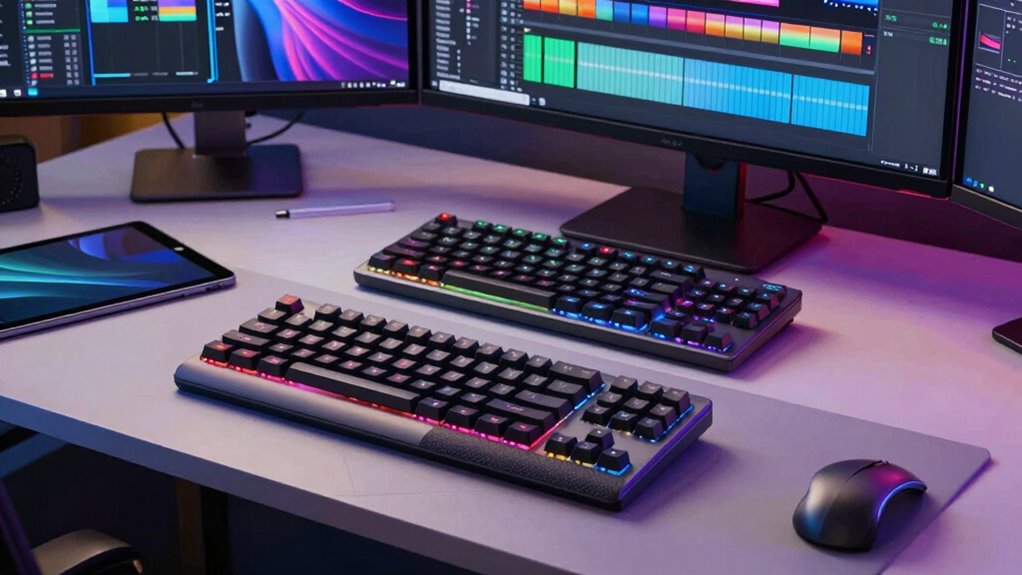

Choosing the right editing keyboard can significantly boost your productivity and comfort during long editing sessions. The best options blend precise controls, intuitive layouts, and durable build quality. The Blackmagic Design DaVinci Resolve Editor Keyboard stands out as the top overall pick thanks to its dedicated workflow features for color grading and editing. For those seeking wireless flexibility, the ULANZI D100H Wireless Video Editing Keyboard offers a versatile dial and Bluetooth connectivity. Meanwhile, the TourBox NEO excels for creative control across various editing software. Keep reading for a detailed breakdown of these options and how to choose the right editing keyboard for your needs.

Get movie nights delivered free — and shop member deals
- Fast, free delivery on millions of items
- Access to Prime Big Deal Days deals on October 6–7
- Prime Video, Amazon Music and more included
Key Takeaways
- The best editing keyboards often feature dedicated controls tailored to video and photo editing workflows, such as jog wheels and shortcut keys.
- Wireless models offer flexibility but may introduce latency or connectivity issues compared to wired options, which provide more reliable performance.
- Build quality and ergonomic design are critical for long editing sessions, especially with heavy use of keyboard shortcuts and controls.
- Price varies widely; premium models deliver specialized features, while budget options focus on core functionality without extras.
- Compatibility with your editing software and operating system can influence the effectiveness of certain keyboards, so check for software-specific features.
| Blackmagic Design DaVinci Resolve Editor Keyboard |  | Best for Professional DaVinci Resolve Users | Designed for: DaVinci Resolve 16 | Connectivity: Wired / USB | Controls: Integrated search wheel, shortcut keys | VIEW ON AMAZON | See Our Full Breakdown |
| ULANZI D100H Video Editing Keyboard with Dial Knob Wireless Bluetooth |  | Best for Multi-Device Wireless Control | Compatibility: Windows 10+ and macOS 12+ | Connection: Bluetooth 5.1 | Battery: 1000mAh rechargeable | VIEW ON AMAZON | See Our Full Breakdown |
| Blackmagic Design DaVinci Resolve Speed Editor Bundle with Studio Activation Card |  | Best Portable Editing Solution with Studio Power | Connectivity: Bluetooth & USB-C | Battery: Built-in rechargeable | Included software: DaVinci Resolve 17 Studio | VIEW ON AMAZON | See Our Full Breakdown |
| TourBox NEO – Wired Creative Editing Controller for Mac & Windows |  | Best for Creative Multi-Software Control | Controls: 14 knobs, dials, buttons | Compatibility: macOS, Windows | Connectivity: Wired | VIEW ON AMAZON | See Our Full Breakdown |
| ULANZI D100H Wireless Video Editing Keyboard with Dial Knob |  | Best for Long Battery Life and Precise Control | Compatibility: Windows 10+ or macOS 11+ | Connection: Bluetooth | Battery: Rechargeable, 60 days standby | VIEW ON AMAZON | See Our Full Breakdown |
| Logitech MX Keys S Wireless Keyboard Low Profile Fluid Precise |  | Best Overall for Versatile Productivity | Weight: 810 g | Dimensions: 20.5 x 430.2 x 131.63 mm | Battery: Rechargeable Li-Po (1500 mAh) | VIEW ON AMAZON | See Our Full Breakdown |
| editing keyboard | Connectivity | Compatibility | Battery |
|---|---|---|---|
| Blackmagic Design DaVinci Reso | Wired / USB | — | — |
| ULANZI D100H Video Editing Key | — | Windows 10+ and macOS 12+ | 1000mAh rechargeable |
| Blackmagic Design DaVinci Reso | Bluetooth & USB-C | — | Built-in rechargeable |
| TourBox NEO | Wired | macOS, Windows | — |
| ULANZI D100H Wireless Video Ed | — | Windows 10+ or macOS 11+ | Rechargeable, 60 days standby |
| Logitech MX Keys S Wireless Ke | Bluetooth Low Energy, Logi Bolt USB receiver | Windows, macOS, Linux, Chrome OS, iOS, iPadOS, Android | Rechargeable Li-Po (1500 mAh) |
More Details on Our Top Picks
Blackmagic Design DaVinci Resolve Editor Keyboard
The Blackmagic Design DaVinci Resolve Editor Keyboard stands out for its tailored integration with DaVinci Resolve 16, making it ideal for professionals seeking a streamlined editing process. Compared to the Speed Editor Bundle, this keyboard offers a dedicated search wheel for faster navigation, reducing mouse reliance. However, its functionality is tightly coupled with DaVinci Resolve, limiting flexibility for other software. Its design emphasizes workflow efficiency but may require familiarity with DaVinci Resolve’s interface. This pick makes the most sense for dedicated Resolve editors who prioritize speed and shortcut access over multitasking across multiple platforms.
Pros:- Optimized for DaVinci Resolve 16 with dedicated controls
- Integrated search wheel for rapid clip and timeline navigation
- Designed to enhance professional editing workflows
Cons:- Limited compatibility outside DaVinci Resolve
- Lacks additional customizable or multimedia controls
Best for: Professional video editors working exclusively within DaVinci Resolve 16 who need quick access to specific tools.
Not ideal for: Editors using multiple software tools or those new to DaVinci Resolve, as it lacks versatility and broader compatibility.
- Designed for:DaVinci Resolve 16
- Connectivity:Wired / USB
- Controls:Integrated search wheel, shortcut keys
- Material:Plastic body
Our verdict“This keyboard is best suited for dedicated DaVinci Resolve professionals who want a workflow boost with specialized controls.”
ULANZI D100H Video Editing Keyboard with Dial Knob Wireless Bluetooth
The ULANZI D100H Wireless Video Editing Keyboard excels for creators managing multiple devices and software, thanks to its Bluetooth 5.1 connectivity and multi-device switching. Unlike the Speed Editor Bundle, which is more portable but tethered, this keyboard offers the freedom of wireless control with customizable keys and a multifunctional knob for precise adjustments. Its compatibility with major editing programs like DaVinci Resolve, Final Cut Pro, and Photoshop makes it versatile. Despite its wireless convenience, it requires a Bluetooth connection and may drain the battery faster with frequent use. This choice suits professionals needing seamless multi-software control in a wireless setup.
Pros:- Supports multiple devices with quick Bluetooth switching
- Highly precise adjustment with premium knob and feedback
- Compatible with a wide range of editing and creative software
Cons:- Requires Bluetooth connection, no wired fallback
- Limited to Windows 10+ and macOS 12+ systems
Best for: Video editors and photo retouchers working across multiple platforms who prioritize wireless flexibility.
Not ideal for: Users working primarily on iPad or with wired setups, as it lacks wired connectivity options and iOS compatibility.
- Compatibility:Windows 10+ and macOS 12+
- Connection:Bluetooth 5.1
- Battery:1000mAh rechargeable
- Special features:Multi-device switching, customizable buttons
Our verdict“This wireless keyboard is ideal for multi-platform professionals who need precise control without being tethered to their devices.”
Blackmagic Design DaVinci Resolve Speed Editor Bundle with Studio Activation Card
Compared to the DaVinci Resolve Editor Keyboard, the Speed Editor Bundle offers portability with its built-in battery and wireless capabilities, perfect for on-the-go editing. It includes a search dial and dedicated shortcut buttons that facilitate rapid editing, similar to the professional-grade keyboard but in a compact form. The bundle’s inclusion of DaVinci Resolve 17 Studio activation significantly enhances feature access, especially for editors who require advanced tools outside of basic editing. Its reliance on wireless connectivity and battery life means it might face power limitations during intense sessions. It’s best for editors who need a mobile, all-in-one solution with professional software access.
Pros:- Portable, lightweight design suitable for mobile editing
- Wireless Bluetooth connectivity with built-in rechargeable battery
- Includes DaVinci Resolve Studio activation for advanced editing features
Cons:- Limited to DaVinci Resolve users
- Battery life can vary with heavy use
Best for: Editors who frequently work remotely or need a portable, standalone editing keyboard with full software features.
Not ideal for: Stationary editors who prefer wired setups for reliability or those not using DaVinci Resolve 17 Studio.
- Connectivity:Bluetooth & USB-C
- Battery:Built-in rechargeable
- Included software:DaVinci Resolve 17 Studio
- Cable length:4.9 feet
Our verdict“This bundle is perfect for professionals who need portable power with full software capabilities in a compact form.”
TourBox NEO – Wired Creative Editing Controller for Mac & Windows
The TourBox NEO offers extensive control tailored for creative workflows, with 14 knobs, dials, and buttons supporting a wide range of software from Photoshop to Premiere Pro. Unlike the DaVinci Resolve-focused options, this wired controller caters to users who juggle multiple programs or need detailed, customizable input. Its wired connection limits portability but ensures stable, lag-free operation. The device’s versatility makes it suitable for both beginners and seasoned professionals, although it isn’t compatible with Linux or mobile platforms. For those who prefer extensive, tactile control over their entire digital editing environment, this is an excellent choice.
Pros:- Supports a broad array of creative software
- Extensive control with 14 knobs, dials, and buttons
- Compatible with both macOS and Windows
Cons:- Requires wired connection, reducing portability
- Limited compatibility outside desktop environments
Best for: Creative professionals managing multiple editing or art programs who want maximum control and customization.
Not ideal for: On-the-go editors or those seeking wireless flexibility, as it requires a wired connection and is limited to desktop use.
- Controls:14 knobs, dials, buttons
- Compatibility:macOS, Windows
- Connectivity:Wired
- Warranty:1 Year
Our verdict“This wired control panel is ideal for professionals who want comprehensive tactile input for complex editing tasks on desktop systems.”
ULANZI D100H Wireless Video Editing Keyboard with Dial Knob
The ULANZI D100H Wireless Video Editing Keyboard combines long battery life with a high-precision aluminum alloy dial, making it suitable for extended editing sessions. Its haptic feedback dial offers accurate, tactile adjustments without needing to look at the screen, setting it apart from typical multifunction keyboards. Supporting up to three devices simultaneously and compatible with various software, it caters to creators who need reliable wireless control across different setups. Compared with the Bluetooth D100H, this version emphasizes durability and detailed control, but some users may find its limited number of keys restrictive for complex workflows. It’s an excellent fit for those prioritizing battery endurance and precise adjustments.
Pros:- High-precision, haptic aluminum dial for accurate control
- Supports three devices simultaneously with wireless Bluetooth
- Long battery life up to 60 days standby
Cons:- Limited number of keys for complex workflows
- Requires Bluetooth 5.0 or higher for best performance
Best for: Editors and creators needing extensive, reliable wireless control with long runtimes for demanding projects.
Not ideal for: Users requiring more keys for complex shortcuts or those on older systems lacking Bluetooth 5.0+.
- Compatibility:Windows 10+ or macOS 11+
- Connection:Bluetooth
- Battery:Rechargeable, 60 days standby
- Keys:7
- Material:ABS+PC housing, aluminum alloy knob
Our verdict“This wireless dial control is perfect for long, detailed editing sessions where battery longevity and tactile feedback matter most.”
Logitech MX Keys S Wireless Keyboard Low Profile Fluid Precise
The Logitech MX Keys S stands out for its fluid, precise typing experience combined with a sleek, low-profile design that minimizes fatigue during long editing sessions. Compared to the Blackmagic Design DaVinci Resolve Editor Keyboard, which is purpose-built for color grading and editing control, the MX Keys S offers broader compatibility across operating systems and supports multi-device workflows, making it ideal for editors who switch between tasks. However, the need for the Logi Options+ app for full customization can be a hurdle for users seeking a plug-and-play experience. Its adaptive backlighting enhances usability in various lighting conditions, but the battery life, while decent, depends heavily on usage patterns. This pick makes the most sense for creative professionals who need a reliable, multi-purpose keyboard that integrates seamlessly into a busy editing environment, yet don’t require specialized editing controls found in dedicated hardware.
Pros:- Fluid, precise typing with low-profile design reduces fatigue
- Supports multiple devices and operating systems for seamless workflow
- Adaptive backlit keys adjust to environment and time of day
Cons:- Requires Logi Options+ app for full customization, adding setup complexity
- Battery life can vary significantly based on usage and backlighting settings
- Not compatible with Logitech USB receivers other than Logi Bolt, limiting connectivity options
Best for: Professional editors and content creators who need a versatile, multi-platform keyboard for daily editing and general productivity.
Not ideal for: Editors seeking dedicated tactile controls or specialized editing functions, such as color grading or audio mixing, which require dedicated hardware instead.
- Weight:810 g
- Dimensions:20.5 x 430.2 x 131.63 mm
- Battery:Rechargeable Li-Po (1500 mAh)
- Connectivity:Bluetooth Low Energy, Logi Bolt USB receiver
- Compatibility:Windows, macOS, Linux, Chrome OS, iOS, iPadOS, Android
- Recycled Plastic Content:26% (Graphite)
Our verdict“This keyboard is best suited for professionals who need a reliable, multi-device input device with smooth typing and smart automation features, but it falls short for those requiring dedicated editing controls.”

How We Picked
These editing keyboards were selected based on their specialized features, build quality, user feedback, and compatibility with common editing workflows. We prioritized products that offer tangible workflow benefits like dedicated jog wheels, shortcut keys, and customizable controls. Reliability and responsiveness were key factors, especially for professional use. The ranking reflects a balance between dedicated editing features, value for money, and versatility across different editing styles and software platforms.| editing keyboard | Connectivity | Compatibility |
|---|---|---|
| Blackmagic Design DaVinci Reso | Wired / USB | — |
| ULANZI D100H Video Editing Key | — | Windows 10+ and macOS 12+ |
| Blackmagic Design DaVinci Reso | Bluetooth & USB-C | — |
| TourBox NEO | Wired | macOS, Windows |
| ULANZI D100H Wireless Video Ed | — | Windows 10+ or macOS 11+ |
| Logitech MX Keys S Wireless Ke | Bluetooth Low Energy, Logi Bolt USB receiver | Windows, macOS, Linux, Chrome OS, iOS, iPadOS, Android |
Factors to Consider When Choosing Editing Keyboards
When choosing an editing keyboard, consider how its features align with your editing style, software, and workspace setup. A well-suited keyboard can streamline your workflow, reduce fatigue, and improve precision. However, over-investing in features you don’t need can lead to unnecessary expense. The following factors will help you identify which keyboard best fits your needs and highlight common pitfalls to avoid.Dedicated Controls and Workflow Features
Look for keyboards with features that match your editing tasks, such as jog wheels, shortcut keys, and customizable controls. These features can speed up editing, especially in video workflows where timeline scrubbing and quick access to functions are essential. Avoid models that lack these dedicated tools if you perform complex editing regularly, as they can slow you down.
Connectivity and Compatibility
Decide whether wired or wireless options suit your workspace. Wired keyboards typically offer more reliable response times, which is critical for precise editing. Wireless models provide greater flexibility but may introduce latency or connectivity issues. Always verify compatibility with your editing software and operating system to ensure seamless integration.
Build Quality and Ergonomics
Heavy use of editing shortcuts and controls demands a durable, well-designed keyboard. Ergonomics matter, especially if you spend hours editing each day. Look for models with adjustable angles, cushioned wrist rests, and sturdy construction to prevent fatigue and discomfort over time.
Price and Value
Premium editing keyboards often include advanced features and robust build quality but come at a higher price. Budget options focus on core functionality, which can be sufficient for casual or hobbyist editors. Consider what features are truly necessary for your workflow and avoid paying extra for bells and whistles that won’t be used.
Software Integration and Customization
Some keyboards allow software customization, enabling you to tailor controls to your specific editing tools. This can significantly enhance efficiency but requires some setup time. Be cautious of models with limited software support or complicated customization processes, which can hinder usability.
Frequently Asked Questions
Can I use a standard keyboard for editing instead of a specialized one?
While a standard keyboard can handle basic editing tasks, it lacks the dedicated controls that speed up workflows, such as jog wheels, shortcut keys, and programmable buttons. Specialized editing keyboards are designed to streamline common tasks, reduce mouse reliance, and improve comfort during long sessions. However, if you primarily do simple edits or are on a tight budget, a standard keyboard might suffice temporarily.
Are wireless editing keyboards reliable for professional work?
Wireless keyboards can be reliable if they feature low latency and stable Bluetooth or RF connections. Many high-end models are optimized for responsiveness, making them suitable for professional use. However, potential issues like signal interference or connectivity drops can disrupt your workflow, so testing the connection with your setup beforehand is advisable, especially for critical projects.
What is the most important feature to look for in a video editing keyboard?
The most vital feature is a dedicated jog wheel or control for timeline scrubbing, as it allows precise, rapid navigation through footage. Additionally, programmable shortcut keys tailored to your editing software can greatly enhance efficiency. Prioritize these workflow-specific controls over aesthetic features or extra keys that won’t be used regularly.
Should I prioritize build quality over features?
Yes, in most cases, durability and ergonomic design should take precedence, especially for daily editing work. A sturdy, well-constructed keyboard reduces the risk of failure and discomfort over time. While advanced features are valuable, they are less useful if the device feels fragile or causes strain during extended use.
Is it worth investing in a premium editing keyboard?
For professional editors or those who spend many hours editing daily, a premium keyboard can significantly improve workflow and reduce fatigue. The specialized controls and high build quality make it a worthwhile investment. Conversely, casual users or hobbyists might find that a mid-range or budget model provides sufficient functionality without the higher cost.
Conclusion
For those seeking the best overall experience, the Blackmagic Design DaVinci Resolve Editor Keyboard delivers dedicated controls that integrate seamlessly with professional editing workflows. Budget-conscious editors will find the ULANZI D100H Wireless Video Editing Keyboard offers great value with versatile wireless features. Creative professionals in need of customizable controls should consider the TourBox NEO. Beginners or casual users might prefer a simple, reliable wireless keyboard like the Logitech MX Keys S. Ultimately, selecting the right editing keyboard depends on your workflow, budget, and whether you prioritize dedicated features or versatility.
As an affiliate, we earn on qualifying purchases.Fall Picks
fall essentials