
TL;DR
Buying a prebuilt AI workstation can be faster and more reliable, especially with current component shortages and price spikes. Building offers customization and control but often takes longer and costs more upfront. The right choice depends on your workload, skills, and timeline.
Imagine this: you need an AI workstation fast, but the parts you want are scarce and expensive. Or maybe you’re a hobbyist who relishes customizing every screw and fan. The age-old question of build versus buy isn’t just about price anymore — it’s about speed, control, risk, and future-proofing.
In 2026, the landscape has shifted. Prebuilt systems now often match or beat DIY in price, thanks to bulk buying and supply chain quirks. So, which route makes the most sense for your AI project? That’s what we’ll unpack here.
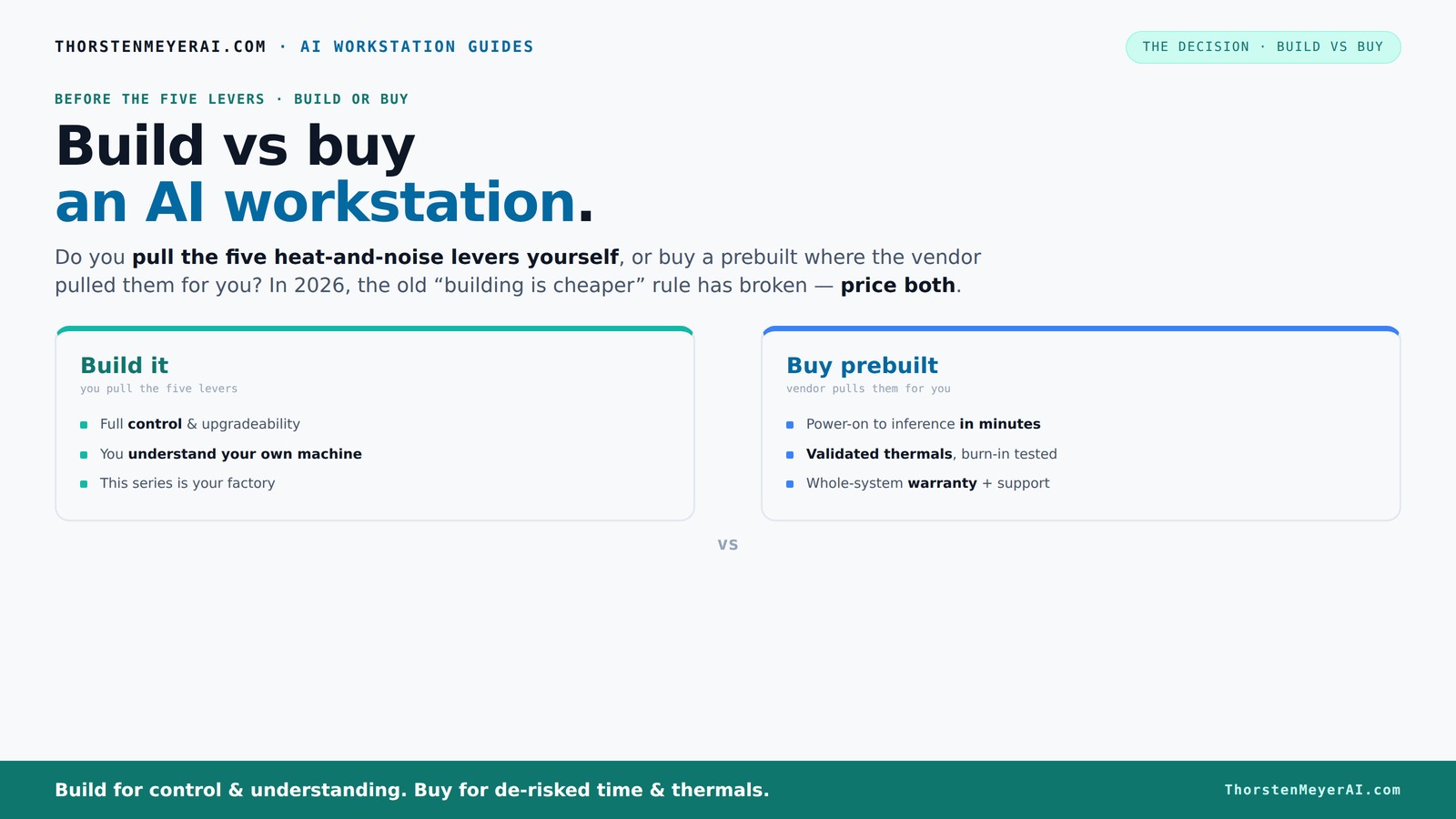
Build vs buy
an AI workstation.
The real question behind this whole series: do you pull the five heat-and-noise levers yourself, or buy a prebuilt where the vendor pulled them for you? And in 2026, the old “building is cheaper” rule has broken. Match your situation in Part 3.
Key Takeaways
- In 2026, buying an AI workstation can be cheaper and faster than building due to component shortages and bulk discounts.
- Prebuilt systems come validated for thermal performance, with warranties and support — ideal for professionals or time-sensitive projects.
- Building offers total control over components, cooling, and noise, but requires skills, time, and patience.
- A hybrid approach—buy the base, tune it yourself—strikes a balance between speed and customization.
- Cost, speed, control, and risk should all factor into your decision, not just upfront price.

WIWB Gaming PC Desktop Core I9-14900HX, RTX 5060 Ti 8G, 1TB NVME SSD
- Powerful Processor: Intel Core i9-14900HX with 24 Cores
- High-Performance Graphics: GeForce RTX 5060 Ti 8GB GDDR7
- Fast Memory & Storage: 16GB DDR5 RAM and 1TB NVMe SSD
As an affiliate, we earn on qualifying purchases.
As an affiliate, we earn on qualifying purchases.
What Exactly Is a Prebuilt AI Workstation?
Think of a prebuilt AI workstation as a ready-to-go, factory-tuned machine. It arrives with all the software preinstalled — CUDA, TensorFlow, Docker, and more — so you can start training or inference right out of the box.
For example, companies like BIZON and Lambda meticulously test their systems under heavy loads, ensuring they won't throttle or overheat during your long training sessions. This validation is crucial because it ensures consistent performance, reducing the risk of thermal throttling that can slow down your computations unexpectedly. The included warranty and support mean you’re protected against hardware failures, giving peace of mind and saving you troubleshooting time. This ready-to-run setup is especially valuable when deadlines are tight or when you lack the time or expertise to assemble and fine-tune your own system.

The Horizon RGB I9 RTX Gaming Desktop Computer PC || Core I9 CPU Upto 5.4GHz || 32GB RAM || 2TB Storage || RTX 5070 || 360MM AIO || 1.2GB/s WiFi, VR and Gaming Ready || Windows 11 Home
- High-Performance CPU: Unlocked Core i9 up to 5.4GHz
- Ample RAM and Storage: 32GB RAM, 2TB SSD/HDD combo
- Powerful Graphics Card: RTX 5070 12GB with Ray Tracing
As an affiliate, we earn on qualifying purchases.
As an affiliate, we earn on qualifying purchases.
Why the Cost of Building Might Surprise You in 2026
Building your AI rig used to be cheaper, but not anymore. Component shortages and high demand for GPUs, DDR5 RAM, and SSDs have driven prices sky-high. Build vs Buy a Prebuilt AI Workstation. A build that cost under $1,000 two years ago might now be $1,250 or more, even before considering labor and tuning.
Beyond the raw costs, there are significant tradeoffs. The time spent sourcing parts, waiting for shipments, and troubleshooting assembly can extend project timelines and increase hidden expenses. Additionally, thermal tuning and system optimization require expertise — missteps can lead to thermal throttling or hardware instability, which might necessitate rework or component replacements. This means that the perceived savings from DIY can evaporate when factoring in these hidden costs and risks.
Meanwhile, prebuilt vendors have bought in bulk, locking in lower prices and passing savings to you. Sometimes, a prebuilt costs less than sourcing parts piecemeal — especially when you consider the time and effort to assemble, troubleshoot, and optimize your own system. Therefore, it’s essential to evaluate whether the upfront savings are worth the potential delays and hidden costs involved in DIY.

AI Systems Performance Engineering: Optimizing Model Training and Inference Workloads with GPUs, CUDA, and PyTorch
As an affiliate, we earn on qualifying purchases.
As an affiliate, we earn on qualifying purchases.
The Heat and Noise Battle: Who Pulls the Levers?
High-performance AI systems run hot and loud. Managing this is a game of five levers: undervolting the GPU, matching the right cooler, optimizing airflow, tuning fan curves, and careful placement.
When you buy a prebuilt, the vendor handles all these levers. They validate thermals, tune fans, and often include water-cooling for quieter operation. This means your system runs cool and quiet from day one, tested and supported. The importance of thermal management extends beyond mere comfort; it directly impacts hardware longevity and performance stability. Proper cooling prevents thermal throttling, which can significantly reduce training speeds and increase hardware failure risks over time. build or buy a prebuilt.
If you build yourself, you control every lever. You’ll choose quiet GPUs, pick the coolest coolers, and set up airflow just right. It’s a rewarding puzzle if you enjoy the process — but it takes time, skill, and patience. Build vs Buy a Prebuilt AI Workstation. Poor thermal design can lead to overheating, noise pollution, or hardware failure, which might negate your initial cost savings and add unforeseen delays. Therefore, understanding and managing thermal dynamics is crucial whether you buy or build.

NVD RTX PRO 6000 Blackwell Professional Workstation Edition Graphics Card for AI, Design, Simulation, Engineering - 96GB DDR7 ECC Memory - 4th Gen RT/5th Gen Tensor Core GPU - OEM Packaging
- Enhanced Processing Power: NVIDIA Blackwell Streaming Multiprocessor with DLSS 4
- Advanced Cooling Design: Double-Flow-Through cooling for peak performance
- Next-Gen Tensor Cores: 5th Gen Tensor Cores for AI acceleration
As an affiliate, we earn on qualifying purchases.
As an affiliate, we earn on qualifying purchases.
Comparison Table: Build vs. Buy — Which Fits Your Needs?
| Feature | Build Your Own | Buy Prebuilt |
|---|---|---|
| Cost | Often cheaper initially, but rising prices and your time add up. Long-term, hidden costs like troubleshooting and rework can increase total expenditure. | Usually comparable or cheaper due to bulk buying and supply chain. The upfront price includes validation, support, and warranty, which can offset DIY hidden costs. |
| Speed to Deployment | Longer — weeks or months depending on parts availability and assembly complexity. Delays from troubleshooting or part shortages can extend timelines. | Fast — ready in days to a week. Minimizes downtime and accelerates project start. |
| Control & Customization | Complete control over components and setup. Allows tailoring cooling, noise levels, and hardware specifics to exact preferences. | Limited to vendor specs, but optimized for thermal performance. Less flexibility but guaranteed stability and validation. |
| Support & Warranty | Self-managed; no manufacturer warranty. You’re responsible for troubleshooting hardware issues. | Includes warranty, support, and validation. Reduces risk of unexpected failures and downtime. |
| Upgradeability | Easy to swap components; flexible. Can adapt to future needs with minimal hassle. | Depends on vendor; upgrades may be limited or require additional purchases. Can be less flexible long-term. |
| Risk & Reliability | Higher risk of misassembly, thermal issues, or hardware failure if not experienced. Potential for inconsistent performance. | Lower risk; systems are tested and validated, providing more predictable performance and stability. |
Who Should Build, Who Should Buy?
If you’re a hobbyist, student, or someone who loves tinkering, building your AI workstation can be a rewarding challenge. You get to learn every detail, from undervolting your GPU to optimizing airflow — plus it’s often cheaper if you have time. This hands-on approach allows for tailored performance and deep understanding of hardware, giving you the flexibility to upgrade or modify components as your needs evolve. Build vs Buy a Prebuilt AI Workstation.
However, this path involves significant time investment, technical skill, and patience. Mistakes in assembly or thermal management can lead to hardware failures or performance issues, which might offset the initial savings.itial cost savings.
But if you’re a professional or a startup that needs reliability, fast deployment, and support, buying makes a lot of sense. Vendors validate the thermal design, handle the heavy lifting, and offer warranties that keep your project moving without hiccups. For time-sensitive projects or environments where uptime is critical, prebuilt systems reduce uncertainty and ensure a more predictable performance baseline.
Picture a solo AI researcher who needs a system to test models overnight. They might build to save costs and gain control. An enterprise deploying multiple systems for ML training? Buying reduces risk, accelerates deployment, and minimizes troubleshooting, making it the pragmatic choice for larger-scale operations.
The Hybrid Approach: Best of Both Worlds?
Hybrid strategies are gaining ground. Buy a solid base system from a vendor, then customize and tune it yourself. This approach leverages the reliability and validation of a prebuilt while allowing for personalized adjustments that can optimize performance, noise, and thermal characteristics.
Imagine purchasing a Lambda system, then undervolting the GPU further or adding custom cooling. This method offers a practical middle ground — you benefit from the initial validation and support, but still enjoy the control and learning experience of hardware tuning. It’s especially advantageous if you want quicker deployment but still desire some level of customization to meet specific performance or noise requirements.
This approach is ideal for those who want to reduce risks and deployment time while still tailoring their system to unique workload demands.
Decision Checklist: Are You Ready to Choose?
- Do you need rapid deployment or have time for DIY tuning?
- Is controlling every detail of hardware important to you?
- Can you handle troubleshooting and thermal management?
- Do you prefer a straightforward warranty and support?
- Are component prices still within your budget?
Frequently Asked Questions
Is it cheaper to build or buy a prebuilt AI workstation?
It depends on current component prices and your skills. Recently, buying can be cheaper due to shortages and bulk discounts, even though building used to be the clear choice for savings [2].What hidden costs come with building one from scratch?
Hidden costs include time spent sourcing parts, troubleshooting, thermal tuning, and potential rework if something doesn’t work right. These can add up to more than just the price of components [3].How much faster is a prebuilt workstation to deploy?
Prebuilt systems can be ready to run within days, while building your own might take weeks or even months, especially if you’re new to hardware tuning [1].When does customization justify building instead of buying?
If you need a system tailored exactly to your workflow, with specific cooling or noise requirements, building offers unmatched control. It also makes sense if you enjoy hardware tinkering and want to learn [4].Will a prebuilt AI workstation limit future upgrades?
It can, especially if the vendor designs the system with proprietary parts or limited upgrade paths. Building your own makes future upgrades more straightforward, but depends on your skill level [5].Conclusion
The choice between build and buy isn’t just about money — it’s about your timeline, skills, and risk appetite. If speed and support matter most, a prebuilt system can get you up and running faster with less stress. But if customization and long-term control excite you, building might be your best move.
Remember, the landscape in 2026 favors informed decisions over assumptions. Whether you build or buy, focus on what drives your AI project forward, and don’t forget to weigh the hidden costs lurking behind each option. Your perfect workstation is the one that matches your goals — and your patience.