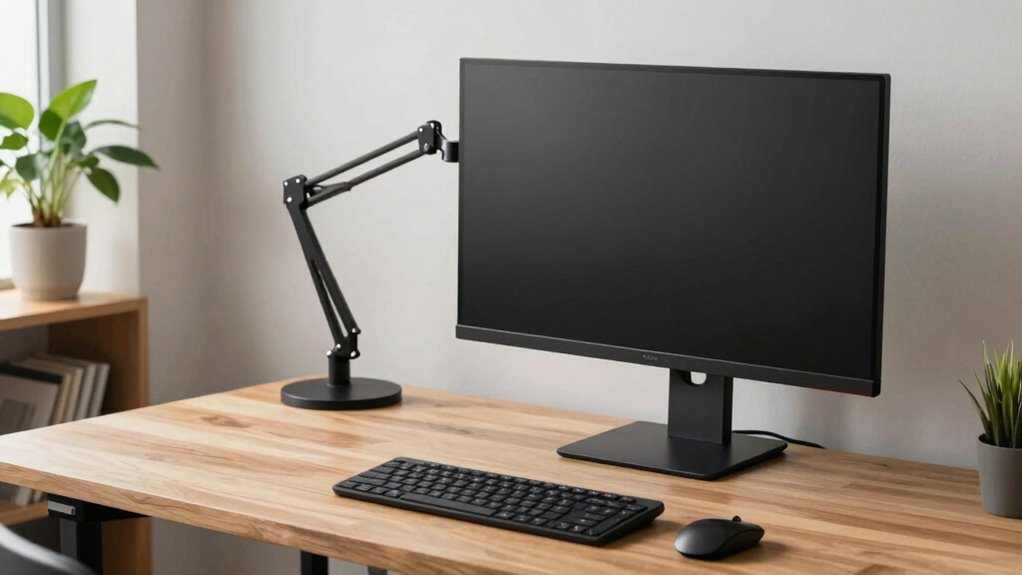

Monitor arms quietly improve your desk life by boosting comfort, organization, and flexibility. They allow you to easily adjust your monitor for perfect eye level, reducing neck strain and eye fatigue during long hours. With sleek designs, they free up workspace and hide cables for a clean look. You can effortlessly switch screens or change positions, making work more dynamic. Keep exploring to discover how these simple upgrades can make a noticeable difference in your daily routine.

Get movie nights delivered free with Prime
- Fast, free delivery on millions of items
- Prime Video, Amazon Music and more included
- Member-only deals all year
Key Takeaways
- Adjustable monitor positioning reduces neck strain and eye fatigue, enhancing comfort during long work hours.
- Frees up desk space, creating a cleaner, more organized, and aesthetically pleasing workspace.
- Facilitates easy switching between multiple screens and collaborative sharing, boosting productivity.
- Simple installation encourages consistent ergonomic habits and long-term health benefits.
- Improves overall workspace appearance, promoting a professional environment that enhances focus and mood.
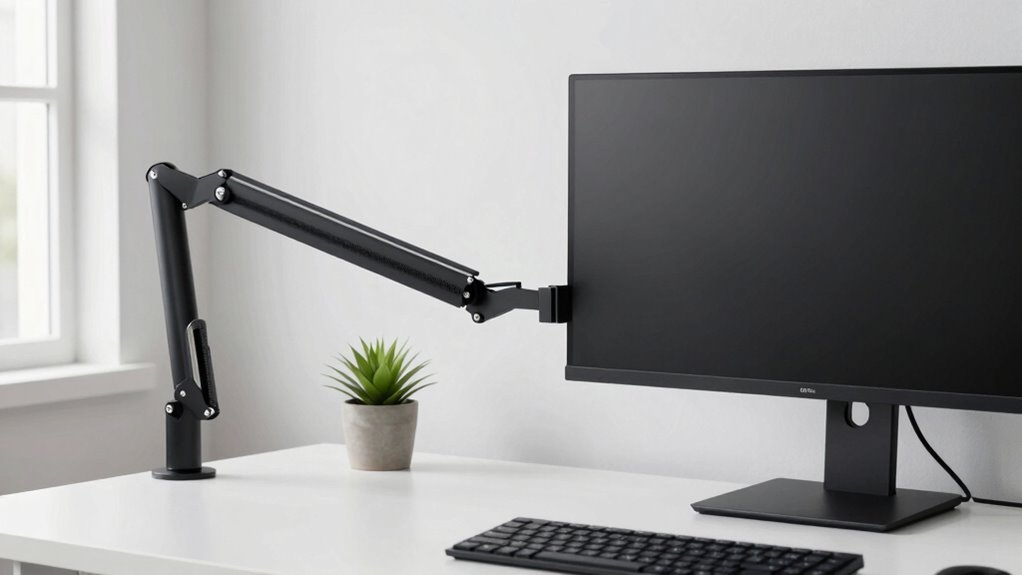
If you spend hours at your desk, you know how quickly discomfort can build up from poor monitor positioning. A fixed monitor can force you into awkward postures, leading to neck strain, eye fatigue, and back pain. Monitor arms change all that by offering adjustable positioning, giving you the ergonomic benefits of customizing your workspace. You can easily raise, lower, or swivel your monitor to align perfectly with your line of sight, reducing strain and promoting better posture. This flexibility allows you to switch between sitting and standing without hassle, further enhancing your comfort during long work sessions. Over time, this adjustment capability helps prevent chronic discomfort and even injuries, making your desk setup healthier and more sustainable. Additionally, the modern workspace benefits from the sleek design of monitor arms, which can complement contemporary office aesthetics. Beyond health benefits, monitor arms bring aesthetic enhancements that can transform your workspace. Cluttered desks with cords and bulky stands often look chaotic and unprofessional. With a monitor arm, you free up valuable surface area, creating a cleaner, more organized environment. The sleek, minimalist design of most monitor arms adds a modern touch, making your workspace appear neat and intentional. This improved aesthetics can boost your mood and focus, making work feel less like a chore and more like a space you’re proud of. Plus, with the ability to hide cables neatly behind the arm, your desk looks streamlined and sophisticated. Another advantage is the increased flexibility monitor arms offer in your daily routine. You can rotate your monitor for presentations, switch between multiple screens effortlessly, or even share your display with colleagues without moving the entire setup. This adaptability saves time and effort, allowing you to focus more on your tasks rather than adjusting hardware. It also enables a more dynamic work environment, accommodating different projects and collaboration styles. Installing a monitor arm is straightforward, and once set up, it becomes an integral part of your ergonomic workspace. It encourages better habits by making it easier to maintain proper posture and workspace organization. When properly ergonomically designed, monitor arms can significantly improve your overall comfort and health during long work hours. Proper adjustability also plays a key role in preventing strain and promoting a healthier workspace. Incorporating ergonomic principles into your monitor setup can further enhance these benefits, ensuring your workspace supports your well-being. A well-designed setup backed by ergonomic research can lead to better long-term health outcomes. Over time, this can lead to fewer health issues and increased productivity. By quietly improving your desk life, monitor arms help you work more comfortably, look more professional, and stay organized—all without a significant overhaul of your existing setup. They’re a simple upgrade that offers long-term benefits, making your daily work routine more efficient and enjoyable.
As an affiliate, we earn on qualifying purchases.
Frequently Asked Questions
Are Monitor Arms Compatible With All Monitor Sizes and Weights?
Monitor arms aren’t compatible with all monitor sizes and weights. You need to check monitor compatibility and weight limitations before purchasing. Most arms work with standard-sized monitors, but larger or heavier displays might require heavy-duty options. Always verify the maximum weight capacity and VESA compatibility to guarantee your monitor stays secure and stable. Properly matching your monitor’s size and weight with the arm’s specifications ensures smooth, safe adjustments and a clutter-free desk.
How Easy Is It to Install a Monitor Arm by Myself?
Did you know that over 70% of people find installing monitor arms straightforward? You’ll find it easy to set up a monitor arm yourself, especially with clear instructions and common tools. Not only does this boost ergonomic benefits by improving your posture, but it also adds aesthetic enhancements to your workspace. With some patience, you’ll enjoy a more comfortable and visually appealing desk environment in no time.
Do Monitor Arms Help Reduce Neck or Eye Strain?
Yes, monitor arms help reduce neck and eye strain by offering ergonomic benefits and enhancing visual comfort. You can easily adjust your monitor’s height, angle, and distance, aligning it perfectly with your line of sight. This minimizes awkward postures and eye fatigue, especially during long work hours. By customizing your setup, you promote better posture and reduce discomfort, making your workspace more comfortable and healthier overall.
Can Monitor Arms Be Adjusted for Different Sitting or Standing Positions?
Yes, monitor arms can be adjusted for different sitting or standing positions. You can effortlessly change the height, tilt, and angle, helping you maintain an ergonomic posture throughout the day. This flexibility allows you to switch between sitting and standing comfortably, reducing strain on your neck and eyes. With an adjustable height feature, your monitor stays at eye level, promoting better comfort and productivity regardless of your preferred working posture.
What Are the Maintenance Requirements for Monitor Arms?
You should regularly check and tighten monitor arm joints, clean them with a damp cloth, and inspect for wear or damage. Proper maintenance guarantees you maximize ergonomic benefits, prevent accidents, and keep your workspace aesthetically enhanced. Lubricate moving parts if needed, avoid over-tightening, and follow manufacturer guidelines. These simple steps help your monitor arm stay functional, stable, and visually appealing, supporting your comfort and productivity daily.
As an affiliate, we earn on qualifying purchases.
Conclusion
In the end, monitor arms are like the unsung heroes of your desk, quietly transforming chaos into calm. They free up space, reduce strain, and boost your productivity—all while keeping your workspace sleek and organized. Once you experience the ease they bring, you’ll wonder how you ever managed without them. Just like a steady captain guiding a ship through calm waters, monitor arms steer your desk life toward smoother, more efficient seas.
As an affiliate, we earn on qualifying purchases.
As an affiliate, we earn on qualifying purchases.
Halloween Picks
halloween
As an affiliate, we earn on qualifying purchases.