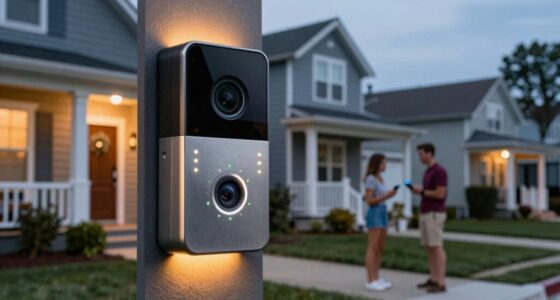

Your webcam quality plays a vital role in shaping your online personal brand. Clear, sharp images boost your credibility, making you appear professional and trustworthy. Good lighting and an organized background complement your visuals, showing you put effort into your presentation. If your camera isn’t up to par, you risk seeming unprepared or unapproachable. A well-crafted setup highlights your confidence and approachability, and if you keep exploring, you’ll discover how to perfect every detail for a strong online presence.

Get movie nights delivered free — and shop member deals
- Fast, free delivery on millions of items
- Access to Prime Big Deal Days deals on October 6–7
- Prime Video, Amazon Music and more included
Key Takeaways
- High webcam quality projects professionalism and builds trust with your audience.
- Clear visuals enhance approachability and make interactions more engaging.
- Poor image quality can undermine credibility and suggest unpreparedness.
- Sharp, well-lit visuals reinforce a consistent and polished personal brand.
- A professional setup signals effort, attention to detail, and commitment to your online presence.
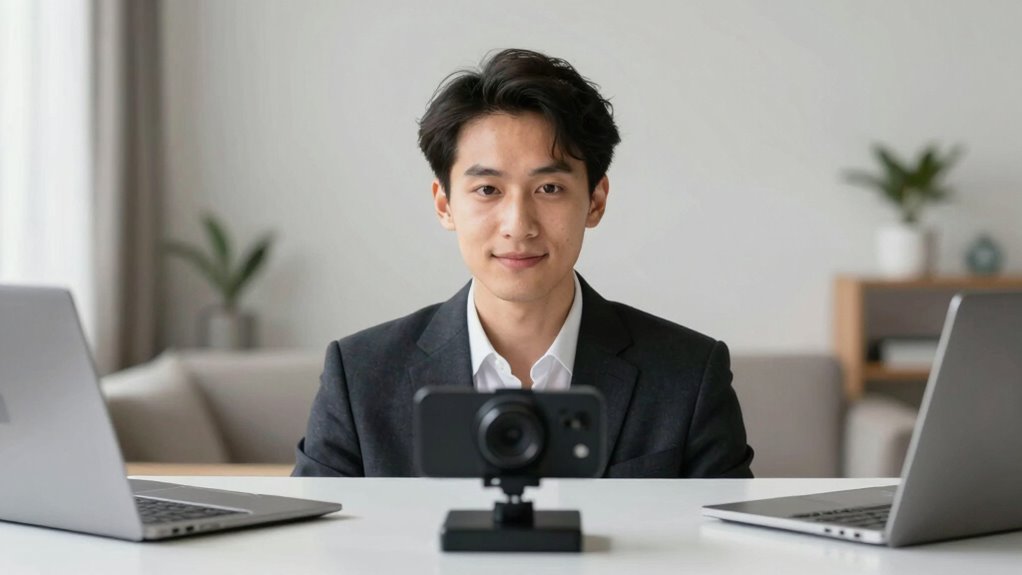
In today’s digital world, your webcam quality can considerably impact how others perceive your personal brand. When you’re on a video call, interview, or streaming, the way you present yourself visually influences trustworthiness, professionalism, and approachability. A clear, sharp image signals that you’re serious about your personal brand, while fuzzy or pixelated visuals can make you seem unprepared or indifferent. But quality isn’t just about the camera lens; it’s also about your overall setup, especially your lighting and background aesthetics. These elements work together to create a polished appearance that enhances your personal brand rather than detracting from it.
Your lighting setup is crucial. Proper lighting can make or break your webcam image. If you rely solely on harsh overhead lights or dim surroundings, your face may appear washed out, shadowed, or unrecognizable. Instead, opt for soft, even lighting that illuminates your face clearly. Natural light is ideal—position yourself facing a window during the day to leverage its warmth and clarity. If natural light isn’t an option, invest in a good ring light or softbox. These tools help reduce shadows and highlight your features, making you look more approachable and confident. Remember, good lighting emphasizes your expressions and eye contact, which are vital for engaging your audience and reinforcing your personal brand. Additionally, adjusting your camera settings or using software enhancements can further improve your webcam quality, ensuring your visuals are crisp and professional.
Background aesthetics also play a significant role. A cluttered or distracting background can divert attention from what you’re saying and diminish your credibility. Instead, choose a clean, organized space that reflects your personality or profession. Minimalistic backgrounds with a few well-placed items appear more professional and help viewers focus on you. If you work from home, consider using a backdrop or virtual background that aligns with your personal brand—such as a bookshelf, artwork, or logo. This not only adds visual interest but also signals that you’ve put thought into your presentation. Pay attention to colors and lighting in your background, ensuring they complement your appearance and do not clash or cause visual noise. Being mindful of your background aesthetics can significantly boost your overall visual impression, especially when combined with your lighting setup and overall camera quality. Additionally, optimizing your camera settings can further enhance the sharpness and clarity of your image, making your online presence more impactful.
As an affiliate, we earn on qualifying purchases.
Frequently Asked Questions
How Does Lighting Impact Webcam Image Quality?
Lighting impacts your webcam image quality by making your face clearer and more professional-looking. A good lighting setup, especially with natural illumination, reduces shadows and enhances details. You should position yourself facing a window or use soft, diffused lights to evenly illuminate your face. Avoid harsh or uneven lighting, as it can create glare or shadows, making your image look less polished and hurting your online personal brand.
Can Poor Webcam Quality Harm Viewer Trust?
Poor webcam quality can indeed harm viewer trust, especially as 90% of viewers judge credibility based on video clarity. When your webcam produces blurry or pixelated images, it increases viewer skepticism and diminishes perceived authenticity. This skepticism can lead to diminished engagement and credibility, making it harder to establish a strong personal brand. Investing in better webcam equipment helps you present a professional image, fostering trust and enhancing your authenticity perception online.
What Are Affordable Webcams With High-Quality Video?
If you’re looking for affordable webcams with high-quality video, consider budget options like the Logitech C920 or the Microsoft LifeCam HD-3000, which offer excellent resolution and reliable performance. For premium features at a lower cost, the Razer Kiyo provides adjustable lighting and sharp visuals. These webcams help you present yourself professionally online without breaking the bank, boosting your personal brand with clear, crisp video quality.
Does Webcam Resolution Influence Online Engagement Rates?
Think of your webcam like a window into your world; sharper resolution is like a crystal-clear lens that draws viewers in. Higher resolution directly boosts video clarity, making your face and surroundings more vivid. This enhances audience perception, showing professionalism and authenticity. When your visuals are crisp, viewers are more likely to stay engaged, trust what you say, and connect emotionally—turning simple streams into memorable experiences.
How Often Should I Upgrade My Webcam for Branding?
You should upgrade your webcam every 1-2 years to maintain branding consistency and stay current with technology upgrades. Regular upgrades guarantee your image remains sharp and professional, which directly impacts how viewers perceive your personal brand. As technology advances, newer webcams offer better resolution and features, helping you stand out. Staying consistent with upgrades shows your audience you’re committed to quality, reinforcing a strong, reliable personal brand online.
As an affiliate, we earn on qualifying purchases.
Conclusion
In the domain of personal branding, your webcam quality isn’t just a detail—it’s the gateway to making a lasting impression. When your video clarity shines brighter than a thousand suns, you command attention and credibility effortlessly. Remember, in the digital world, your webcam is the window to your professionalism; neglect it, and you risk fading into obscurity. Invest in quality, and watch your online persona transform into an unstoppable force that captivates and convinces with the brilliance of a supernova.
As an affiliate, we earn on qualifying purchases.
As an affiliate, we earn on qualifying purchases.
Fall Picks
fall essentials
As an affiliate, we earn on qualifying purchases.