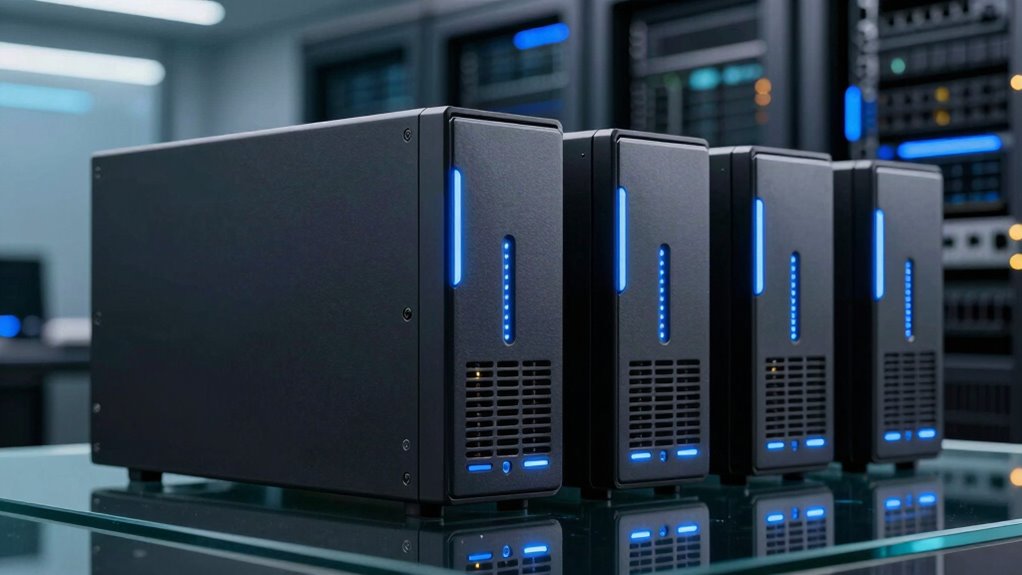

For anyone seeking a reliable 8-bay NAS, choosing the right model involves balancing performance, features, and budget. The QNAP TS-855X-8G-US stands out as the best overall for its versatile hardware and expandability. The Synology DS1825+ appeals to enterprise users with its high capacity and enterprise-grade reliability, while the Terramaster F8 SSD Plus offers impressive performance at a more affordable price. Each option faces tradeoffs: some prioritize speed over ease of use, others focus on capacity or budget. Continue reading for a detailed breakdown of these models and how to pick the best NAS 8 bay for your needs.

Get movie nights delivered free with Prime
- Fast, free delivery on millions of items
- Prime Video, Amazon Music and more included
- Member-only deals all year
Key Takeaways
- Performance and expandability are the main differentiators among top NAS 8-bay models.
- Enterprise-grade features often come with higher costs and complexity, suited for advanced users.
- Budget options can deliver solid performance but may lack advanced features or scalability.
- Ease of use and setup vary widely; beginner-friendly models tend to have simpler interfaces.
- Choosing a NAS depends heavily on your specific storage needs, whether for personal, business, or creative use.
| QNAP TS-855X-8G-US 8-Bay NAS |  | Best Overall for High-Speed Connectivity and Expandability | Processor: Intel Atom C5125 8-core 2.8GHz | RAM: 8GB DDR4 (up to 128GB with ECC support) | Network Ports: 1 x 10Gbase-T, 2 x 2.5GbE | VIEW ON AMAZON | See Our Full Breakdown |
| Asustor Lockerstor 8 AS6508T 8-Bay NAS Network Storage Enclosure |  | Best for Extensive Storage with Dual 10GbE Connectivity | Processor: Intel Atom C3538 (Denverton) Quad Core 2.1GHz | RAM: 8GB DDR4 | Drive Bays: 8 x 3.5-inch SATA | VIEW ON AMAZON | See Our Full Breakdown |
| Synology 8 Bay RackStation RS1221+ (Diskless) |  | Best for Small Business High-Performance Data Management | Brand: Synology | Model Number: RS1221+ | Number of Bays: 8 | VIEW ON AMAZON | See Our Full Breakdown |
| QNAP TS-873A-8G 8-Bay NAS |  | Best for Power-User Performance with Flexibility | Processor: AMD Ryzen V1500B quad-core 2.2 GHz | RAM: 8GB DDR4 (max 64GB) | Ethernet Ports: 2 x 2.5GbE | VIEW ON AMAZON | See Our Full Breakdown |
| Synology 8-Bay DiskStation DS1823xs+ (Diskless) |  | Best for Large-Scale Storage and Scalability | Drive Bays: 8 | Expansion Support: Up to 18 drives with two DX517 units | Form Factor: Diskless | VIEW ON AMAZON | See Our Full Breakdown |
| Synology DS1825+ Enterprise NAS – 8-Bay Diskless Storage with 360TB Capacity, 25GbE Speed, and Enterprise Reliability |  | Best Overall for Enterprise-Grade Storage and Scalability | Model Number: DS1825+ | Number of Bays: 8 | Maximum Storage Capacity: 360TB | VIEW ON AMAZON | See Our Full Breakdown |
| QNAP TS-832PX-4G 8-Bay NAS |  | Best for High-Speed Networking and Expandable RAM | Processor: AnnapurnaLabs Alpine AL324 ARM Cortex-A57 1.7GHz | RAM: 4 GB DDR4 (max 16 GB) | Number of Bays: 8 | VIEW ON AMAZON | See Our Full Breakdown |
| TERRAMASTER F8 SSD Plus NAS 8-Bay Intel Core i3, 16GB DDR5 (Diskless) |  | Best for High-Performance Home or Small Business SSD Storage | Processor: Intel Core i3-N305 8-core | Memory: 16GB DDR5 | Storage Capacity: Supports 8 NVMe SSDs, up to 8TB each | VIEW ON AMAZON | See Our Full Breakdown |
| UGREEN NAS DXP8800 Ultra 8-Bay Network Storage for Business and Creative Teams |  | Best for Collaborative Teams and Virtualization | Number of Bays: 8 | Maximum Storage Capacity: 272TB | Processor: Intel 150U | VIEW ON AMAZON | See Our Full Breakdown |
| nas 8 bay | Processor |
|---|---|
| QNAP TS-855X-8G-US 8-Bay NAS | Intel Atom C5125 8-core 2.8GHz |
| Asustor Lockerstor 8 AS6508T 8 | Intel Atom C3538 (Denverton) Quad Core 2.1GHz |
| Synology 8 Bay RackStation RS1 | — |
| QNAP TS-873A-8G 8-Bay NAS | AMD Ryzen V1500B quad-core 2.2 GHz |
| Synology 8-Bay DiskStation DS1 | — |
| Synology DS1825+ Enterprise NA | — |
| QNAP TS-832PX-4G 8-Bay NAS | AnnapurnaLabs Alpine AL324 ARM Cortex-A57 1.7GHz |
| TERRAMASTER F8 SSD Plus NAS 8- | Intel Core i3-N305 8-core |
| UGREEN NAS DXP8800 Ultra 8-Bay | Intel 150U |
More Details on Our Top Picks
QNAP TS-855X-8G-US 8-Bay NAS
The QNAP TS-855X-8G-US stands out for its combination of high-speed networking options and extensive expandability, making it ideal for demanding environments. Its 10Gbase-T and dual 2.5GbE ports provide faster data transfer, especially compared to the Synology RS1221+ which focuses more on performance with its high transfer rates but lacks 10GbE ports. The expandable RAM up to 128GB and dual M.2 slots for cache make it versatile for complex workloads, but the setup can be daunting for beginners unfamiliar with enterprise features. Unlike the Synology DS1823xs+, which emphasizes large-scale storage expansion, this NAS offers more immediate high-speed network options. It’s best suited for users who need robust performance and future-proofing, though those seeking a simple, plug-and-play setup may find it overwhelming.
Pros:- High-speed 10Gbase-T and dual 2.5GbE ports for fast data transfer
- Expandable RAM up to 128GB supports demanding workloads
- Dual M.2 slots enable cache acceleration and SSD storage optimization
Cons:- No included price information can complicate budget planning
- Setup complexity may challenge beginners unfamiliar with enterprise NAS systems
Best for: Power users and IT professionals needing high-speed networking and flexible expansion options
Not ideal for: Home users or small offices seeking simple, straightforward NAS solutions
- Processor:Intel Atom C5125 8-core 2.8GHz
- RAM:8GB DDR4 (up to 128GB with ECC support)
- Network Ports:1 x 10Gbase-T, 2 x 2.5GbE
- SSD Slots:2 x M.2 PCIe Gen 3 x4
- Expansion Slots:2 x PCIe Gen 3 x4
- Drive Bays:8
Our verdict“This NAS is best for tech-savvy users who need top-tier performance and expandability, accepting a steeper learning curve.”
Asustor Lockerstor 8 AS6508T 8-Bay NAS Network Storage Enclosure
The Asustor Lockerstor 8 AS6508T offers a solid blend of high-speed networking and substantial storage capacity, making it suitable for intensive data environments. Its dual 10GbE ports support link aggregation, a feature not present in the Synology RS1221+, which emphasizes high transfer speeds but with fewer networking options. With eight SATA drive bays, it caters to users needing large storage pools, although the lack of included drives or detailed software features limits immediate usability. Compared to the QNAP TS-855X, which boasts more advanced caching options, the Lockerstor prioritizes raw storage capacity and network performance. It’s most appropriate for users with a need for extensive network throughput and storage, but less so for those seeking out-of-the-box simplicity or software flexibility.
Pros:- Dual 10GbE ports enable high bandwidth, supporting link aggregation
- Supports up to eight SATA drives for extensive storage capacity
- Quad-core processor handles demanding applications efficiently
Cons:- Lacks included drives or accessories, adding to initial setup costs
- Potentially high price for casual or small-scale users
Best for: Data-intensive businesses requiring high-speed network access and large storage pools
Not ideal for: Casual users or small teams who prefer ready-to-use solutions with minimal setup
- Processor:Intel Atom C3538 (Denverton) Quad Core 2.1GHz
- RAM:8GB DDR4
- Drive Bays:8 x 3.5-inch SATA
- Network Interfaces:Two 10GbE, two 2.5GbE
- Form Factor:Tower
- Item Count:1
Our verdict“Ideal for users who prioritize large storage capacity combined with high-speed networking, accepting some setup complexity.”
Synology 8 Bay RackStation RS1221+ (Diskless)
The Synology RS1221+ excels in environments demanding high transfer speeds and robust data protection, especially with its support for high availability clustering. Its transfer speeds up to 2,315 MB/s surpass many competitors like the QNAP TS-873A, making it suitable for demanding business workloads. Being rackmount, it’s optimized for space-constrained server rooms, yet its diskless nature means additional investment in drives is necessary, which might be a drawback for immediate deployment. The advanced features like online volume expansion and clustering make it more complex than simpler NAS units, but they also provide unmatched uptime for critical data. Compared with the DS1823xs+, it offers a more enterprise-oriented approach but requires more technical knowledge to set up properly.
Pros:- High transfer speeds support demanding workloads
- Supports high availability clustering for maximum uptime
- Compact 2U rackmount fits well in professional server environments
- Includes comprehensive data protection options
Cons:- Requires additional purchase of drives, increasing initial costs
- Setup complexity may deter less technical users
Best for: Small to medium-sized businesses needing high performance and maximum uptime
Not ideal for: Home users or casual users who prefer plug-and-play simplicity
- Brand:Synology
- Model Number:RS1221+
- Number of Bays:8
- Form Factor:Rackmount 2U
- Warranty:3 years
- Item Count:1
Our verdict“Best suited for organizations requiring reliable, high-speed data management with enterprise-level features, despite the setup complexity.”
QNAP TS-873A-8G 8-Bay NAS
The QNAP TS-873A-8G combines powerful hardware with flexible networking and expandability, making it a favorite for demanding users. Its AMD Ryzen V1500B processor delivers high performance, especially when compared to the Intel Atom-based options like the AS6508T, which prioritize networking over raw power. The ability to expand RAM up to 64GB and dual 2.5GbE ports, along with PCIe slots for future upgrades, offers a future-proof platform. The support for M.2 NVMe SSD caching enhances performance, but the model’s setup can be complex, especially for those unfamiliar with QTS or QuTS hero. The higher price point reflects its advanced features, making it less attractive for casual users but perfect for tech-savvy professionals seeking power and flexibility.
Pros:- Powerful AMD Ryzen V1500B processor handles intensive workloads
- Expandable RAM up to 64GB supports demanding applications
- Multiple network options including dual 2.5GbE and PCIe slots for upgrades
- Supports SSD caching with M.2 NVMe slots for performance boost
Cons:- Setup and configuration require technical expertise
- Higher price may be prohibitive for budget-conscious buyers
Best for: Advanced users and small businesses needing high performance and upgrade flexibility
Not ideal for: Basic users or those seeking simple, pre-configured NAS solutions
- Processor:AMD Ryzen V1500B quad-core 2.2 GHz
- RAM:8GB DDR4 (max 64GB)
- Ethernet Ports:2 x 2.5GbE
- USB Ports:3 x USB 3.2 Gen 2, 1 x USB 3.2 Gen 1
- Storage Slots:8 bays, 2 M.2 NVMe SSD slots
- Network Support:2.5GbE/1GbE/100M
Our verdict“A flexible, high-performance NAS ideal for power users willing to handle a complex setup for maximum capability.”
Synology 8-Bay DiskStation DS1823xs+ (Diskless)
The Synology DS1823xs+ is designed for enterprises needing scalable storage solutions. Its support for up to 18 drives with expansion units surpasses most competitors like the RS1221+ in capacity, while maintaining high availability clustering and hot-swappable drives. This makes it ideal for organizations with growing data needs, but the absence of pre-installed drives and the need for additional expansion units can be a barrier for immediate deployment. It offers robust data protection and online volume expansion, but its setup complexity and higher cost mean it’s best for technical teams with large-scale storage requirements. For those who need more than just 8 bays, this model offers the scalability that smaller units cannot match.
Pros:- Supports up to 18 drives with expansion units
- High availability clustering for maximum uptime
- Hot-swappable drives for easy maintenance
- Supports large-scale storage expansion
Cons:- Requires additional expansion units for full capacity
- No pre-installed drives increases initial setup effort
- Setup can be complex for less experienced users
Best for: Large enterprises and data centers requiring scalable, highly available storage infrastructure
Not ideal for: Small businesses or home users needing an out-of-the-box, simple NAS
- Drive Bays:8
- Expansion Support:Up to 18 drives with two DX517 units
- Form Factor:Diskless
- High Availability:Yes
- Hot-Swappable:Yes
- Warranty:Not specified
Our verdict“Best suited for large-scale, scalable storage environments where uptime and expansion are priorities, despite requiring technical setup.”
Synology DS1825+ Enterprise NAS – 8-Bay Diskless Storage with 360TB Capacity, 25GbE Speed, and Enterprise Reliability
The Synology DS1825+ excels in environments where high capacity and redundancy are essential, supporting up to 360TB with expansion units. Its 25GbE networking outpaces many consumer options like the QNAP TS-832PX-4G, making it ideal for large-scale data transfers and multi-user access. Compared to the QNAP, it offers more advanced enterprise features, but it demands a higher level of technical expertise for setup and management. The lack of included drives means additional investment, which could be a barrier for smaller teams. This NAS is better suited for IT professionals managing critical data rather than home users.
Pros:- Supports scalability up to 360TB with expansion units
- High-speed 25GbE networking for demanding workflows
- Enterprise-grade data protection with clustering and failover
Cons:- Requires technical knowledge for setup and management
- Higher cost suitable for enterprise use
- No included drives, additional purchase needed
Best for: Large enterprises or data centers needing scalable, high-availability storage with enterprise features.
Not ideal for: Small businesses or home users who want plug-and-play simplicity and lower upfront costs.
- Model Number:DS1825+
- Number of Bays:8
- Maximum Storage Capacity:360TB
- Network Speed:25GbE
- Warranty:3 years
- Supported Users:50+ concurrent users
Our verdict“This NAS is a top choice for organizations needing massive, reliable storage with advanced enterprise features, provided they have the technical resources to manage it.”
QNAP TS-832PX-4G 8-Bay NAS
The QNAP TS-832PX-4G offers a compelling balance of high-speed connectivity and expandability, especially with its dual 10GbE ports that support fast local network transfers. Compared to the Synology DS1825+, it provides a more consumer-friendly setup with flexible networking options and RAM upgrades up to 16GB, making it suitable for demanding multimedia or small business environments. However, as a diskless model, it requires users to purchase drives separately, which adds to the initial cost. Its more complex setup might challenge beginners unfamiliar with network configuration. This pick is best for users who need fast local access and plan to customize their storage setup.
Pros:- High-speed 10GbE network ports for rapid data transfer
- Expandable RAM up to 16GB for performance tuning
- 8-bay capacity suitable for large storage needs
Cons:- Diskless, requiring additional drives
- Potentially complex setup for less experienced users
- No included drives, increasing initial costs
Best for: Small to medium-sized business users who need fast network speeds and expandable memory for intensive applications.
Not ideal for: Home users or those seeking an out-of-the-box solution with minimal setup effort.
- Processor:AnnapurnaLabs Alpine AL324 ARM Cortex-A57 1.7GHz
- RAM:4 GB DDR4 (max 16 GB)
- Number of Bays:8
- Drive Interface:SATA 6Gb/s, 3Gb/s
- Network Ports:2 x 2.5GbE, 2 x 10GbE
Our verdict“This NAS is ideal for tech-savvy teams needing high-speed networking and scalability, with some setup complexity to consider.”
TERRAMASTER F8 SSD Plus NAS 8-Bay Intel Core i3, 16GB DDR5 (Diskless)
The TERRAMASTER F8 SSD Plus stands out for its fast Intel Core i3 processor and 16GB DDR5 RAM, making it a strong choice for those prioritizing speed and quiet operation. Its support for up to 64TB of SSD storage offers rapid data access, which outperforms traditional HDD-based NAS options like the Synology DS1825+ in speed. Compared to the enterprise-oriented Synology, this model is more accessible for small teams and home users, but it sacrifices some scalability and enterprise features. The need to purchase SSDs separately adds to overall cost, and its limited maximum capacity makes it less ideal for extensive data archives. This is best for users focused on speed and efficiency over massive capacity.
Pros:- High-performance Intel Core i3 processor
- Fast transfer speeds ideal for editing and high-speed workflows
- Quiet operation and compact design
Cons:- Requires additional SSDs for storage, increasing cost
- Limited to SSDs, no HDD support
- Diskless setup adds initial complexity
Best for: Creative professionals or small offices needing high-speed SSD storage without enterprise complexity.
Not ideal for: Users requiring large-scale, expandable storage or traditional HDD support for mass archives.
- Processor:Intel Core i3-N305 8-core
- Memory:16GB DDR5
- Storage Capacity:Supports 8 NVMe SSDs, up to 8TB each
- Ethernet:10Gbps port
- Cooling:Heat sinks with silent fans
Our verdict“This NAS is perfect for speed-focused users who want a compact, quiet, high-performance SSD storage solution with easy installation.”
UGREEN NAS DXP8800 Ultra 8-Bay Network Storage for Business and Creative Teams
The UGREEN NAS DXP8800 Ultra offers a versatile setup with dual 10GbE ports, Thunderbolt 4, and extensive expansion options, making it suitable for professional environments requiring virtual machines and AI asset management. Its 272TB maximum storage capacity and support for complex RAID levels surpass many alternatives like the QNAP TS-832PX-4G, especially with virtualization and AI features. However, the advanced features come with a steep learning curve and higher price, which might be overwhelming for smaller or less technical teams. The need for compatible network infrastructure can also limit performance gains if not properly equipped. This NAS is designed for IT teams and creative studios demanding high performance and advanced data management tools.
Pros:- High-speed data transfer with dual 10GbE and Thunderbolt 4 ports
- Supports running virtual machines and containers
- AI-powered asset management for efficient organization
Cons:- Potentially complex setup for non-technical users
- Higher price point for professional features
- Requires compatible network infrastructure for optimal use
Best for: Business users and creative professionals managing large multimedia libraries and virtual environments.
Not ideal for: Home users or small teams seeking simple backup and storage solutions without virtualization needs.
- Number of Bays:8
- Maximum Storage Capacity:272TB
- Processor:Intel 150U
- Memory:8GB DDR5 (expandable to 96GB)
- Network Ports:Dual 10GbE, 2 Thunderbolt 4
Our verdict“This NAS is tailored for teams requiring extensive storage, virtualization, and AI tools, with setup complexity matching its advanced features.”

How We Picked
We evaluated NAS 8-bay models based on several key criteria: hardware performance, expandability, ease of use, build quality, and value for money. Performance benchmarks and processor capabilities determined how well each model handles intensive tasks, while expandability options like RAM and network ports influenced future-proofing. Ease of setup and user interface design were also critical, especially for less tech-savvy buyers. Our rankings reflect a balanced view of these factors, prioritizing models that offer strong performance combined with practical features for a range of user needs.| nas 8 bay | Processor |
|---|---|
| QNAP TS-855X-8G-US 8-Bay NAS | Intel Atom C5125 8-core 2.8GHz |
| Asustor Lockerstor 8 AS6508T 8 | Intel Atom C3538 (Denverton) Quad Core 2.1GHz |
| Synology 8 Bay RackStation RS1 | — |
| QNAP TS-873A-8G 8-Bay NAS | AMD Ryzen V1500B quad-core 2.2 GHz |
| Synology 8-Bay DiskStation DS1 | — |
| Synology DS1825+ Enterprise NA | — |
| QNAP TS-832PX-4G 8-Bay NAS | AnnapurnaLabs Alpine AL324 ARM Cortex-A57 1.7GHz |
| TERRAMASTER F8 SSD Plus NAS 8- | Intel Core i3-N305 8-core |
| UGREEN NAS DXP8800 Ultra 8-Bay | Intel 150U |
Factors to Consider When Choosing Nas 8 Bay
Choosing the right NAS 8-bay involves more than just comparing specifications. To make a smart investment, consider factors like performance requirements, scalability, user experience, and budget. Understanding these broader considerations can help you avoid common pitfalls, such as overpaying for unnecessary features or selecting a model that can’t handle your workload. Here are key factors to keep in mind:Performance and Hardware Capabilities
Look beyond the processor and RAM specs to understand how a NAS will perform under your typical workload. For high-demand environments, prioritize models with powerful CPUs and ample memory. This ensures smooth operation during data transfers, media streaming, or virtual machine hosting. Lower-end models may suffice for simple backups or light file sharing but can falter with intensive tasks.
Scalability and Expandability
Consider future growth: can the NAS expand storage capacity easily? Features like RAM upgrades, additional network ports, or PCIe slots for expansion cards matter. Skipping these factors might mean replacing your device sooner than expected if your data needs grow. Think about your long-term plans—buying a slightly more capable model now can save money and hassle later.
Ease of Setup and User Interface
A user-friendly interface can significantly reduce setup time and ongoing management complexity. Some brands prioritize intuitive apps and web interfaces, ideal for beginners or non-technical users. Conversely, more advanced options often have steeper learning curves but offer deeper control. Balance your comfort level with the complexity of the interface when choosing.
Build Quality and Noise Levels
Durability and quiet operation matter, especially if the NAS will sit in a shared or office environment. Higher-quality materials and better cooling solutions can extend device longevity. Additionally, noise levels vary; some models operate quietly enough for home use, while others generate noticeable hum, which could be disruptive in quiet spaces.
Budget and Total Cost of Ownership
Initial price is just part of the picture. Consider ongoing costs like drives, power consumption, and potential maintenance. Some budget models may require more frequent upgrades or replacements, increasing total ownership costs. Conversely, investing in a higher-end model might offer better reliability and lower maintenance over time.
Frequently Asked Questions
Can I use different brands of drives in an 8-bay NAS?
Yes, most NAS devices are compatible with a variety of drive brands and types, but it’s advisable to use drives that meet the manufacturer’s specifications for reliability and performance. Consistent use of high-quality drives can prevent compatibility issues and improve overall stability. Always check the NAS’s compatibility list before purchasing drives, especially for enterprise or high-performance models.
Is it worth investing in a diskless NAS or should I buy pre-configured drives?
Choosing a diskless NAS allows flexibility in selecting drives that match your specific storage needs and budget. It also enables upgrades and replacements without replacing the entire device. However, pre-configured drives can simplify setup and ensure compatibility. If you’re comfortable managing drives and want tailored storage options, a diskless model is often the better choice.
How important is network speed in selecting a NAS?
Network speed directly impacts data transfer rates and overall performance, especially in multi-user environments or with large files. Models with 10GbE or multiple 1GbE ports can significantly reduce bottlenecks. For home use, 1GbE ports are usually sufficient, but businesses or creative teams handling large media files may need faster networking options to fully leverage their NAS.
Should I prioritize a specific brand for reliability?
Brands like Synology, QNAP, and Asustor have strong reputations for reliability and customer support. Synology is known for its user-friendly interface, while QNAP offers more hardware flexibility. Choosing a reputable brand can reduce the risk of hardware failures and ensure better software updates. However, always consider specific model reviews and your unique needs over brand loyalty alone.
What is the ideal RAM size for a home or small business NAS?
For most home and small business applications, 4GB to 8GB of RAM is sufficient. If you plan to run virtual machines, multimedia editing, or heavy multitasking, opting for 16GB or more can improve performance. Remember that some NAS models support upgrades, so choose a device with expandable RAM if future needs might grow.
Conclusion
For general home users or small offices, the Synology DiskStation DS1823xs+ offers a great balance of ease of use, expandability, and reliability—making it the best overall pick. Those prioritizing budget and performance might lean towards the Terramaster F8 SSD Plus, which delivers solid speed without hefty price tags. Enterprises and heavy-duty users should consider the Synology DS1825+ for its massive capacity and enterprise features. Beginners or less technical users will benefit from models with straightforward interfaces like the Asustor Lockerstor 8. Ultimately, your choice should align with your specific storage needs, technical comfort level, and future growth plans.