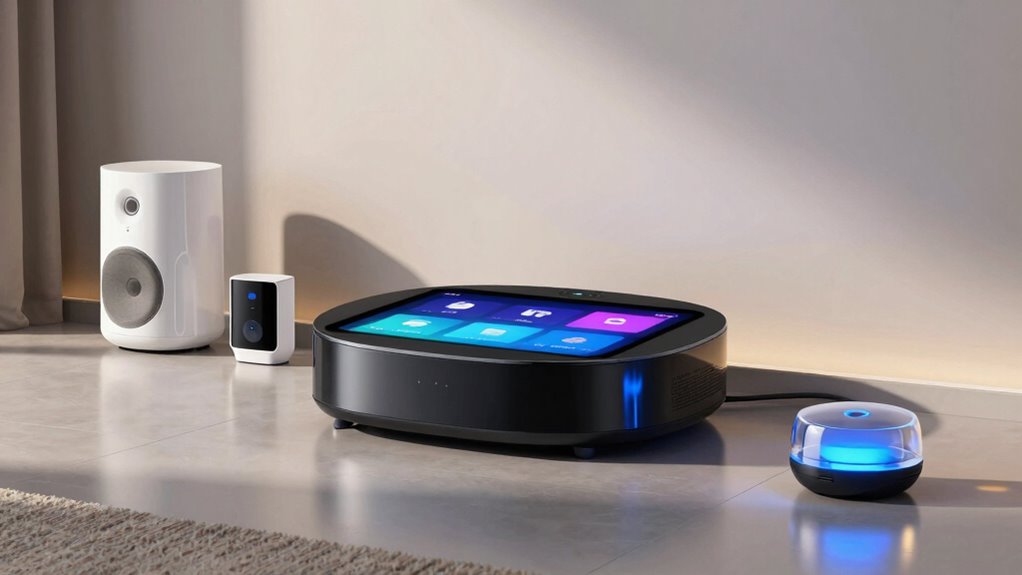

Searching for the best smart home hubs in 2026? The right hub can centralize control, improve compatibility, and simplify automation. The Philips Hue Bridge Pro stands out as the best overall thanks to its extensive accessory support and compatibility with major ecosystems. The Amazon Echo Hub offers a sleek control panel with Alexa, making it ideal for voice-centric homes. Meanwhile, the Hubitat Elevation C-8 Pro is perfect for local control and advanced automations. However, choosing the wrong hub can lead to compatibility issues or limited features. Continue reading for a detailed breakdown of the top options, their strengths, and tradeoffs.
Key Takeaways
- Compatibility with multiple ecosystems remains a key factor, with some hubs supporting Zigbee, Z-Wave, Matter, and more simultaneously.
- Local control-focused hubs like Hubitat offer better privacy and faster automations, but may lack voice assistant integrations.
- Display panels and user interfaces vary greatly; some hubs include touchscreens, while others rely on smartphone apps or voice commands.
- Price ranges are broad, with premium hubs offering advanced automation features and budget options covering basic control needs.
- Setup complexity differs; more versatile hubs often require more technical know-how, while beginner-friendly options simplify installation.
| Philips Hue Bridge Pro Smart Lighting Hub, Wireless, Supports 150+ Lights & 50+ Accessories, Compatible with Apple Home, Alexa, Google, Samsung SmartThings |  | Best Overall for Large-Scale Lighting Setups | Processor: Quad-core Cortex-A35 CPU at 1.7 GHz | Memory: 4 GB DDR4 SDRAM | Supports: 150+ lights, 50+ accessories | VIEW ON AMAZON | See Our Full Breakdown |
| Amazon Echo Hub (newest model), 8″ Smart Home Control Panel with Alexa+ |  | Best for Customizable, Multi-Protocol Control | Display: 8-inch touch screen with 1280 x 800 resolution | Power requirements: Compatible with USB-C PD, supports PoE | Audio: Stereo speakers with full-range drivers | VIEW ON AMAZON | See Our Full Breakdown |
| Amazon Echo Hub 8” Smart Home Control Panel with Alexa | | Best for Seamless Alexa Ecosystem Integration | Display Size: 8 inches | Connectivity: WiFi, Bluetooth, Zigbee, Matter, Sidewalk, Thread | Compatibility: Alexa, smart locks, cameras | VIEW ON AMAZON | See Our Full Breakdown |
| Hubitat Elevation C-8 Pro Smart Home Hub, Local Control and Automations |  | Best for Local-First Automation and Privacy | Product Dimensions: 2.95 x 3.23 x 0.67 inches | Item Weight: 2.56 ounces | Compatibility: Ring, Alexa, Google, Apple | VIEW ON AMAZON | See Our Full Breakdown |
| eufy Security eufy Smart Display E10, 8-inch Control Panel, Smart Home Hub with 64GB Storage |  | Best for Home Monitoring and Local Storage | Display Size: 8 inches | Storage: 64GB eMMC | Item Weight: 2.44 pounds | VIEW ON AMAZON | See Our Full Breakdown |
| Aqara Smart Home Hub M3 with Matter, Zigbee, Thread, IR, Bluetooth, Wi-Fi, PoE, Apple HomeKit, Alexa, SmartThings |  | Best Overall for Versatile, Local-Control Smart Home Integration | Protocols Supported: Zigbee, Thread, IR, Bluetooth, Wi-Fi | Connectivity: Wired (PoE, USB-C), Wireless (Dual-band Wi-Fi 2.4/5 GHz) | Device Capacity: 127 Zigbee devices, 127 Thread devices | VIEW ON AMAZON | See Our Full Breakdown |
| Aeotec Smart Home Hub, Works as a SmartThings Hub, Z-Wave, Zigbee, Matter Gateway, Compatible with Alexa, Google Assistant, WiFi |  | Best for Broad Protocol Support with Easy Setup in North America | Connectivity: Wi-Fi, Ethernet | Protocols: Z-Wave, Zigbee, Matter | Compatibility: Alexa, Google Assistant, SmartThings | VIEW ON AMAZON | See Our Full Breakdown |
| Aeotec Smart Home Hub 2 – V4, Zigbee & Matter Gateway, Compatible with Alexa & Google Assistant |  | Best for Latest Standards and Future-Proof Compatibility | Compatibility: Zigbee, Matter, Alexa, Google Assistant | Connectivity: Wi-Fi, Ethernet | Supports Z-Wave: No | VIEW ON AMAZON | See Our Full Breakdown |
| Home Assistant Green Smart Home Hub with Advanced Automation |  | Best for Privacy-Conscious, Customizable Automation Enthusiasts | Processor: Quad-core | Storage: 32GB | RAM: 4GB | VIEW ON AMAZON | See Our Full Breakdown |
| smart home hub | Connectivity | Compatibility |
|---|---|---|
| Philips Hue Bridge Pro Smart L | Zigbee Trust Center | — |
| Amazon Echo Hub | WiFi, Bluetooth, Zigbee, Thread, Matter | Alexa, Zigbee, Thread, Ring |
| Amazon Echo Hub 8” Smart Home | WiFi, Bluetooth, Zigbee, Matter, Sidewalk, Thread | Alexa, smart locks, cameras |
| Hubitat Elevation C-8 Pro Smar | — | Ring, Alexa, Google, Apple |
| eufy Security eufy Smart Displ | — | — |
| Aqara Smart Home Hub M3 with M | Wired (PoE, USB-C), Wireless (Dual-band Wi-Fi 2.4/5 GHz) | Apple HomeKit, Alexa, SmartThings, Home Assistant |
| Aeotec Smart Home Hub | Wi-Fi, Ethernet | Alexa, Google Assistant, SmartThings |
| Aeotec Smart Home Hub 2 | Wi-Fi, Ethernet | Zigbee, Matter, Alexa, Google Assistant |
| Home Assistant Green Smart Hom | USB expandability for Z-Wave, Zigbee, Thread | — |
More Details on Our Top Picks
Philips Hue Bridge Pro Smart Lighting Hub, Wireless, Supports 150+ Lights & 50+ Accessories, Compatible with Apple Home, Alexa, Google, Samsung SmartThings
The Philips Hue Bridge Pro stands out for its ability to support over 150 lights and 50 accessories, making it ideal for expansive smart lighting configurations. Its quad-core Cortex-A35 processor ensures quick scene changes and automations, a step above the standard Hue Bridge. The inclusion of motion sensing capabilities, when used with compatible Hue devices, adds automation depth. However, setting up this hub can be complex for newcomers, especially given its extensive capacity and advanced features. Compared to the eufy Smart Display E10, which focuses more on home monitoring, the Hue Bridge prioritizes lighting automation. The main tradeoff is that its advanced features require compatible Hue products, limiting flexibility for those already invested in other ecosystems. This makes it perfect for dedicated Hue users needing extensive lighting control, but less suited for casual or mixed-device homes.
Pros:- Supports a vast number of lights and accessories for extensive setups
- Fast processing with advanced CPU enhances automations
- Includes motion sensing automation for added convenience
- Enhanced security features protect user data
Cons:- Requires compatible Hue devices for motion sensing features
- Setup can be complex for new users unfamiliar with advanced smart home configurations
Best for: Homeowners with large, multi-zone lighting systems who want centralized control and automation.
Not ideal for: Users seeking a simple or plug-and-play hub, or those with limited Hue-compatible devices, due to its complex setup and ecosystem dependency.
- Processor:Quad-core Cortex-A35 CPU at 1.7 GHz
- Memory:4 GB DDR4 SDRAM
- Supports:150+ lights, 50+ accessories
- Connectivity:Zigbee Trust Center
- Unit Count:1
Our verdict“This hub is best suited for tech-savvy users managing large, sophisticated lighting environments who value speed and capacity.”
Amazon Echo Hub (newest model), 8″ Smart Home Control Panel with Alexa+
The Amazon Echo Hub offers a highly customizable 8-inch touchscreen that consolidates control over diverse smart devices. Its support for multiple protocols—WiFi, Zigbee, Thread, Matter—sets it apart from simpler hubs like the eufy Smart Display E10, which primarily focuses on home security. Its robust integration with Alexa and Ring enhances automation options, especially for security routines. That said, the need for additional accessories like wall mounts and the reliance on WiFi or Ethernet for stable operation can complicate installation. Compared to the Hubitat Elevation C-8 Pro, which emphasizes local control and automation speed, the Echo Hub leans more toward user-friendly setup and broad compatibility. This makes it ideal for users who want flexibility in device choice but are comfortable with a wired or WiFi setup, rather than a purely local system.
Pros:- Supports a wide range of smart home protocols and devices
- Customizable dashboard for personalized control
- Supports privacy with mic off button
- Multiple installation options, including wall mounting
Cons:- Requires internet connection via WiFi or Ethernet, adding setup complexity
- Additional accessories needed for mounting or power-over-Ethernet
Best for: Homeowners seeking a versatile, easy-to-customize control panel that integrates multiple protocols and security devices.
Not ideal for: Those seeking a simple, minimalistic hub or prefer purely local control without dependence on cloud connectivity or additional accessories.
- Display:8-inch touch screen with 1280 x 800 resolution
- Power requirements:Compatible with USB-C PD, supports PoE
- Audio:Stereo speakers with full-range drivers
- Connectivity:WiFi, Bluetooth, Zigbee, Thread, Matter
- Compatibility:Alexa, Zigbee, Thread, Ring
- Materials:Made from 27% recycled materials
Our verdict“Ideal for users who want a flexible, protocol-agnostic control panel with extensive customization options.”
Amazon Echo Hub 8” Smart Home Control Panel with Alexa
The Amazon Echo Hub provides an 8-inch control interface that excels at managing Alexa-compatible devices. Its straightforward setup, with multiple mounting options like wall mounting or tabletop use, makes it accessible for most homes. Its support for WiFi, Zigbee, Thread, and Matter allows extensive device integration, comparable to the Hubitat Elevation C-8 Pro, but with a stronger emphasis on cloud-based control and Alexa integration. The hub’s reliance on separate mounting accessories and the need for additional purchases can be a drawback for those seeking a fully integrated, out-of-the-box solution. The device’s focus on privacy controls and recycled materials aligns with sustainable design trends, but it limits use to Alexa-compatible ecosystems. This pick makes the most sense for Alexa-centric households that want straightforward, scalable control.
Pros:- Seamless integration with thousands of Alexa-compatible devices
- Easy to install with multiple mounting options
- Supports privacy controls and sustainable materials
- Flexible setup for wall or tabletop use
Cons:- Requires purchasing separate mounting accessories
- Limited ecosystem compatibility outside Alexa
- Refurbished units may have variable reliability
Best for: Users heavily invested in Alexa and seeking a simple yet versatile smart home control panel.
Not ideal for: Homeowners desiring local-only automations or those preferring a dashboard-free experience without extra mounting accessories.
- Display Size:8 inches
- Connectivity:WiFi, Bluetooth, Zigbee, Matter, Sidewalk, Thread
- Compatibility:Alexa, smart locks, cameras
- Materials:Recycled materials
- Installation:Wall mount or tabletop stand
Our verdict“Best suited for Alexa fans wanting a straightforward, versatile control panel with flexible installation options.”
Hubitat Elevation C-8 Pro Smart Home Hub, Local Control and Automations
The Hubitat Elevation C-8 Pro prioritizes local control, offering faster response times and enhanced privacy compared to cloud-dependent hubs like the Amazon Echo Hub. Its support for Z-Wave, Zigbee, Matter, Bluetooth, and Wi-Fi makes it highly versatile across different ecosystems. Unlike the Philips Hue Bridge Pro, which focuses on lighting, the Hubitat emphasizes automation and device control across a broad range of smart products. Its reliance on local processing means fewer delays, but it requires some technical knowledge for setting up complex automations. The continuous free updates provide ongoing improvements without subscription fees, a notable advantage over cloud-based hubs. This makes it ideal for advanced users wanting complete control and privacy, but it might be overwhelming for beginners.
Pros:- Supports multiple protocols for broad device compatibility
- Operates locally, ensuring faster automations and better privacy
- Free ongoing updates without subscription costs
- No reliance on cloud servers for core automations
Cons:- Requires some technical knowledge for setup and advanced automations
- Limited long-term user reviews on reliability and stability
Best for: Tech-savvy homeowners seeking fast, reliable automations with local processing and broad device compatibility.
Not ideal for: Casual users or those uncomfortable with configuring automations, as setup can be more involved and technical.
- Product Dimensions:2.95 x 3.23 x 0.67 inches
- Item Weight:2.56 ounces
- Compatibility:Ring, Alexa, Google, Apple
- Protocols Supported:Z-Wave 800 LR, Zigbee 3.0, Matter 1.5, Bluetooth, Wi-Fi
- First Available:December 28, 2023
Our verdict“Best suited for users who prioritize privacy, speed, and local control over simplicity or out-of-the-box operation.”
eufy Security eufy Smart Display E10, 8-inch Control Panel, Smart Home Hub with 64GB Storage
The eufy Security eufy Smart Display E10 combines a user-friendly 8-inch touchscreen with local storage, making it especially appealing for home security monitoring. Its support for multiple live video feeds, facial recognition, and package detection provides a comprehensive security snapshot at a glance. Compared with the Amazon Echo Hub, which emphasizes device control, this hub excels at instant access to security footage and local playback, reducing buffering delays. The tradeoff is that it requires compatible security devices to function fully and is limited to eufy’s ecosystem, which may not suit homes with diverse device brands. Its outdoor durability isn’t specified, so outdoor use isn’t advisable. This pick is perfect for residents prioritizing home security with quick, local access, but less so for those seeking broad automation or device compatibility outside eufy’s ecosystem.
Pros:- Easy-to-use touchscreen interface for quick access
- Supports multiple live video feeds simultaneously
- Local storage for instant playback without buffering
- Smart daily security reports with facial and package recognition
Cons:- Requires compatible security devices for full functionality
- Limited to eufy ecosystem, reducing device flexibility
- No outdoor durability information available
Best for: Homeowners focused on security monitoring who want instant, local access to live feeds and recordings.
Not ideal for: Users needing a multi-purpose hub supporting diverse ecosystems or outdoor use, as it’s primarily a security-focused device.
- Display Size:8 inches
- Storage:64GB eMMC
- Item Weight:2.44 pounds
- Included Components:Display, adapter, charging station, Type-C cable, wall mount
- Batteries:1 AAA batteries included
- Warranty:12 months
Our verdict“Great for security-conscious households wanting quick, local video access and reliable security reports.”
Aqara Smart Home Hub M3 with Matter, Zigbee, Thread, IR, Bluetooth, Wi-Fi, PoE, Apple HomeKit, Alexa, SmartThings
The Aqara M3 Hub stands out for supporting an extensive range of protocols including Zigbee, Thread, IR, Bluetooth, and Wi-Fi, making it ideal for those with diverse smart devices. Compared with the Home Assistant Green, it offers a more plug-and-play experience with local control and encryption, but its device compatibility is limited to Aqara Zigbee devices, which could be restrictive for users seeking third-party Zigbee support. Its support for multiple ecosystems like Apple HomeKit, Alexa, and SmartThings broadens integration options, while the PoE and mounting flexibility make it adaptable to various locations. However, it requires a separate power adapter for USB-C, and some notifications still depend on internet access. This pick makes the most sense for users wanting a highly versatile hub that prioritizes local control and multiple protocols.
Pros:- Supports Zigbee, Thread, IR, Bluetooth, and Wi-Fi for comprehensive automation
- Local control with encrypted storage enhances privacy and reliability
- Flexible mounting options and wired/wireless connectivity
Cons:- Requires a separate power adapter for USB-C port (not included)
- Limited to Aqara Zigbee devices, excluding third-party Zigbee support
Best for: Homeowners with diverse device ecosystems needing local automation and privacy-focused control
Not ideal for: Users seeking broad third-party Zigbee device compatibility or Z-Wave support
- Protocols Supported:Zigbee, Thread, IR, Bluetooth, Wi-Fi
- Connectivity:Wired (PoE, USB-C), Wireless (Dual-band Wi-Fi 2.4/5 GHz)
- Device Capacity:127 Zigbee devices, 127 Thread devices
- Storage:8GB end-to-end encrypted local storage
- Power:PoE port, USB-C port (adapter not included)
- Compatibility:Apple HomeKit, Alexa, SmartThings, Home Assistant
Our verdict“Ideal for users who prioritize protocol versatility, local control, and privacy, but are willing to accept device ecosystem restrictions.”
Aeotec Smart Home Hub, Works as a SmartThings Hub, Z-Wave, Zigbee, Matter Gateway, Compatible with Alexa, Google Assistant, WiFi
The Aeotec Smart Home Hub excels in supporting Z-Wave, Zigbee, and Matter, making it suitable for users with a wide array of smart devices. Compared to the Home Assistant Green, it offers easier setup via Wi-Fi or Ethernet, but it is primarily designed for North American markets, limiting its regional usability. Its support for multiple protocols allows seamless integration of popular brands, and automation runs locally, reducing latency and dependency on internet connectivity. However, it lacks Z-Wave support in its newer versions and does not include a built-in voice assistant, which could be a drawback for users wanting an all-in-one voice and automation hub. This device makes the most sense for those who want straightforward setup and broad protocol support within North America.
Pros:- Supports Z-Wave, Zigbee, and Matter for broad device compatibility
- Easy setup with Wi-Fi or Ethernet connection
- Local automation processing for reliability
Cons:- Primarily designed for North America, limiting regional support
- Requires a smartphone app for setup and management
Best for: North American users with diverse protocol needs seeking reliable, local automations
Not ideal for: International buyers or those needing Z-Wave support in newer models
- Connectivity:Wi-Fi, Ethernet
- Protocols:Z-Wave, Zigbee, Matter
- Compatibility:Alexa, Google Assistant, SmartThings
- Supported Regions:North America
Our verdict“Best suited for North American users wanting a straightforward, multi-protocol smart hub with local control and easy setup.”
Aeotec Smart Home Hub 2 – V4, Zigbee & Matter Gateway, Compatible with Alexa & Google Assistant
The Aeotec Smart Home Hub 2 – V4 focuses on supporting the newest standards like Zigbee and Matter, making it a forward-looking choice. Compared with the Aqara M3 Hub, it offers a cleaner setup process via Wi-Fi or Ethernet but omits Z-Wave support, which could limit compatibility with some existing devices. Its support for local automations ensures functionality during internet outages, a key benefit over hubs that rely on cloud services. However, it doesn’t include a built-in voice assistant, so users will need separate devices for voice control. This hub best fits users who want to future-proof their setup by supporting the latest protocols without Z-Wave, especially if they prefer local automation and plan to stick with compatible smart devices from major brands.
Pros:- Supports Zigbee, Matter, and local processing for automation
- Easy setup via Wi-Fi or Ethernet
- Supports the latest standards for broad device compatibility
Cons:- No support for Z-Wave devices
- No built-in voice assistant included
Best for: Tech-savvy users prioritizing future-proof protocols and local automation without Z-Wave
Not ideal for: Users with Z-Wave device ecosystems or needing an integrated voice assistant
- Compatibility:Zigbee, Matter, Alexa, Google Assistant
- Connectivity:Wi-Fi, Ethernet
- Supports Z-Wave:No
- Automation:Local processing
Our verdict“Best for users seeking the latest protocol support and local automations, but who do not rely on Z-Wave or integrated voice features.”
Home Assistant Green Smart Home Hub with Advanced Automation
The Home Assistant Green offers a fanless, silent operation with a powerful quad-core processor, tailored for those comfortable with DIY or customization. Compared to the Aqara M3 and Aeotec hubs, it provides a more centralized, privacy-oriented approach with local control of Z-Wave, Zigbee, and Thread devices. Its pre-installed Home Assistant software simplifies initial setup, but it requires an Ethernet connection, which could be a limitation for wireless-only setups. Its 32GB storage is sufficient for complex automations, but large setups might push its capacity. This hub best fits users who prioritize data privacy, are technically inclined, and want a highly customizable smart home experience with local automations.
Pros:- Pre-installed Home Assistant software for easy setup
- Supports multiple protocols via USB expansion
- Fanless operation for silent use
- Keeps data local for privacy
Cons:- Requires Ethernet connection for initial setup
- Limited onboard storage for very large automations
Best for: Technically proficient users seeking a DIY-style, privacy-focused smart home hub
Not ideal for: Less tech-savvy users or those preferring plug-and-play solutions without Ethernet reliance
- Processor:Quad-core
- Storage:32GB
- RAM:4GB
- Power Consumption:A few watts
- Connectivity:USB expandability for Z-Wave, Zigbee, Thread
Our verdict“Perfect for privacy-minded, tech-savvy users who want a customizable, local-control hub with powerful automation capabilities.”

How We Picked
Our evaluation of the smart home hubs focused on a combination of performance, compatibility, usability, and value. We prioritized hubs that support a wide range of protocols like Zigbee, Z-Wave, and Matter, ensuring they work with most smart devices. Ease of setup and user interface quality were also critical, especially for those new to smart home automation. Build quality, expandability, and integration with popular voice assistants like Alexa, Google Assistant, and Apple HomeKit influenced rankings. Finally, we considered price-to-feature ratio, ensuring each pick offers solid value for its target user.
| smart home hub | Connectivity | Compatibility |
|---|---|---|
| Philips Hue Bridge Pro Smart L | Zigbee Trust Center | — |
| Amazon Echo Hub | WiFi, Bluetooth, Zigbee, Thread, Matter | Alexa, Zigbee, Thread, Ring |
| Amazon Echo Hub 8” Smart Home | WiFi, Bluetooth, Zigbee, Matter, Sidewalk, Thread | Alexa, smart locks, cameras |
| Hubitat Elevation C-8 Pro Smar | — | Ring, Alexa, Google, Apple |
| eufy Security eufy Smart Displ | — | — |
| Aqara Smart Home Hub M3 with M | Wired (PoE, USB-C), Wireless (Dual-band Wi-Fi 2.4/5 GHz) | Apple HomeKit, Alexa, SmartThings, Home Assistant |
| Aeotec Smart Home Hub | Wi-Fi, Ethernet | Alexa, Google Assistant, SmartThings |
| Aeotec Smart Home Hub 2 | Wi-Fi, Ethernet | Zigbee, Matter, Alexa, Google Assistant |
| Home Assistant Green Smart Hom | USB expandability for Z-Wave, Zigbee, Thread | — |
Factors to Consider When Choosing Smart Home Hubs
Choosing the right smart home hub depends on your existing devices, desired automation complexity, and preferred control methods. Consider compatibility, ease of use, and future expandability when making your decision. A hub that integrates seamlessly with your ecosystem can save you time and frustration, while one with advanced automation features can grow with your smart home. Be aware of potential pitfalls, such as limited protocol support or complicated setups, which can hinder your experience.Compatibility with Ecosystems and Devices
Verify that the hub supports the protocols and ecosystems you already use, like Zigbee, Z-Wave, or Matter. Some hubs excel at supporting multiple standards, reducing the need for additional hubs or bridges. Missing compatibility can result in devices that don’t work as intended or require complex workarounds. Choosing a hub with broad ecosystem support can future-proof your setup and expand your smart home without additional purchases.
Ease of Setup and User Interface
Consider how straightforward it is to install and configure the hub. Some hubs offer dedicated apps with guided setup, while others might require more technical knowledge. Touchscreen control panels can simplify interaction, especially for those who prefer physical controls. A well-designed interface minimizes frustration and helps you get automation working quickly, especially if you’re new to smart homes.
Automation Capabilities and Expandability
Assess what automation features are supported and how complex your automations can be. Some hubs are limited to simple device control, while others support advanced routines, rules, and scenes. Also, check how many devices the hub can support and whether it allows easy expansion. This ensures your system can grow with your needs and remain manageable over time.
Privacy and Local Control
Decide whether you prefer cloud-based control or local operation. Hubs that prioritize local control provide faster automations and better privacy, as they don’t rely on external servers. If security is a concern, or if you have an unstable internet connection, a local-control hub becomes especially valuable. Be aware that some hubs with local control may have fewer cloud-based integrations or voice assistant features.
Price and Value
Balance your budget against the features offered. Premium hubs often include touchscreens, advanced automation, and broader compatibility, but come at a higher cost. Budget options may suffice for basic control but could limit future growth. Consider whether the added features justify the price and if your intended setup benefits from the extra investment.
Frequently Asked Questions
Will my existing smart devices work with a new hub?
Compatibility depends on the protocols supported by your devices and the hub. Most modern hubs support popular standards like Zigbee, Z-Wave, and Matter, which cover a vast majority of smart devices today. However, some proprietary devices may only work with specific hubs, so it’s essential to verify compatibility before purchasing. Reading the manufacturer’s compatibility list or community forums can help prevent connectivity issues down the line.
Is a display panel necessary for a smart home hub?
While a display panel offers quick, physical access to controls and automations, it’s not essential for everyone. If you prefer controlling your devices via smartphone or voice commands, a touchscreen is less critical. However, for households with multiple users or those who want a dedicated control point, a display panel can improve usability and reduce reliance on apps or voice assistants.
Should I prioritize local control over cloud features?
Prioritizing local control offers faster automations, better privacy, and increased reliability if internet access is unstable. However, cloud features often enable more integrations, updates, and remote access. If privacy or speed is a primary concern, choose a hub with strong local control options. For maximum flexibility, look for a hub that balances both local and cloud capabilities.
Can I upgrade my hub later if I need more features?
Upgradability varies; some hubs support additional protocols or integrations through firmware updates or expansion modules, while others are limited. Consider your future needs and whether the hub you choose can grow with your smart home. Investing in a versatile hub with broad protocol support and software updates can save you money and hassle over time.
How much technical knowledge is required to set up a smart home hub?
Setup complexity depends on the hub’s features and your familiarity with smart home technology. Many modern hubs aim to simplify installation with guided apps and intuitive interfaces, suitable for beginners. More advanced options, like Hubitat or Home Assistant, may require some technical skills, such as network configuration or scripting. Assess your comfort level and choose a hub that aligns with your technical confidence.
Conclusion
For most users, the Philips Hue Bridge Pro offers the best balance of compatibility, ease of use, and reliability, making it the ideal choice for those seeking a comprehensive smart lighting hub. If you prioritize local control and advanced automations, the Hubitat Elevation C-8 Pro provides a powerful, privacy-focused solution. The Amazon Echo Hub suits households that want a sleek control panel with voice integration, particularly for Alexa users. Budget-conscious buyers can consider simpler hubs or those with basic features, while tech enthusiasts aiming for maximum customization should look at options like Home Assistant Green or Aeotec Hubs. Ultimately, the best hub hinges on your device ecosystem, automation needs, and preferred control methods.