You rely on NAS storage to securely manage your high-value digital assets, offering centralized access from multiple devices. It makes organizing and retrieving large files, like images or rare files, straightforward and quick. With built-in security features like encryption and backups, your collections stay protected against cyber threats and hardware failures. Seamless cloud integration and optimized network setup make remote collaboration easy. Keep exploring to discover how mastering these tools can elevate your digital asset management.
Key Takeaways
- Centralized storage simplifies managing and accessing large, high-resolution digital assets for creators and collectors.
- Advanced security features protect valuable digital collections from cyber threats and hardware failures.
- Cloud integration enables seamless synchronization and remote access from multiple devices and locations.
- Automatic backups ensure data redundancy, safeguarding assets against data loss or hardware issues.
- Optimized network setup enhances transfer speeds and collaboration efficiency for remote or team-based work.
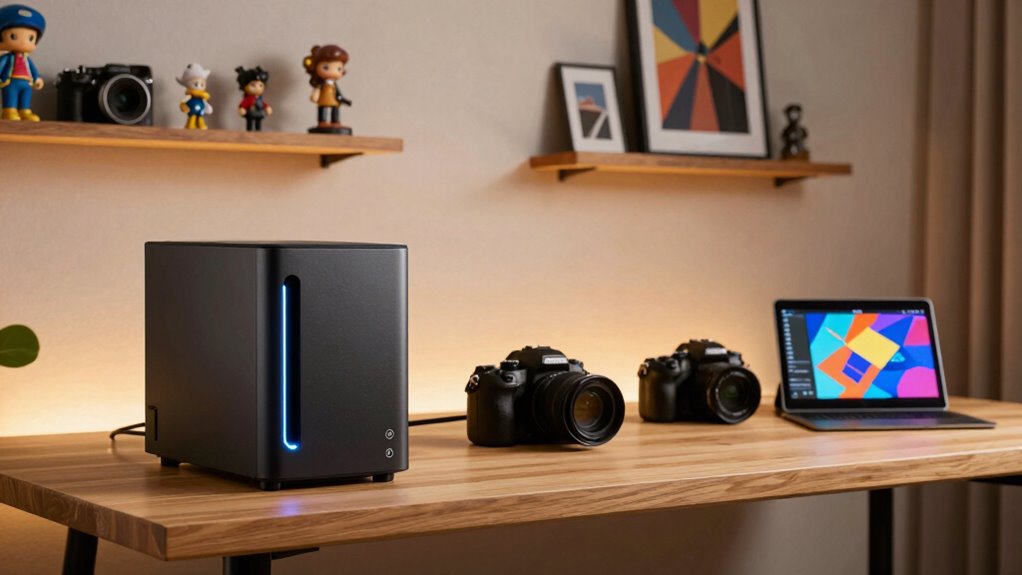
In today’s digital age, creators and collectors need a reliable way to store and access their valuable assets securely. That’s where NAS storage comes into play. Network-Attached Storage provides a centralized solution, allowing you to keep everything accessible from multiple devices while maintaining control over your data. Whether you’re a photographer managing thousands of high-resolution images or a collector safeguarding rare digital files, NAS offers the flexibility to organize and retrieve your assets effortlessly. Its user-friendly interface and robust hardware mean you spend less time worrying about data management and more time creating or curating.
Data security is a top concern, especially when your work or collections are irreplaceable. NAS devices are designed with this in mind, offering advanced features like encryption, user access controls, and regular backups. You can set permissions to ensure only authorized users can view or modify files, reducing the risk of accidental deletions or malicious breaches. Many NAS systems also support automatic backups to external drives or cloud services, providing an extra layer of protection. This way, even if hardware fails or a cyberattack occurs, your assets remain safe and recoverable. The emphasis on data security makes NAS an indispensable tool for anyone serious about safeguarding their digital assets. Additionally, the ability to implement advanced security features further enhances data protection against evolving cyber threats.
NAS devices offer advanced security features like encryption, user controls, and automatic backups to protect your valuable digital assets.
Furthermore, cloud integration has transformed NAS from a simple storage device into a dynamic, interconnected system. Modern NAS solutions seamlessly connect with popular cloud services, allowing you to synchronize files across platforms or back up data remotely. This hybrid approach combines the best of both worlds: the speed and control of local storage with the accessibility and redundancy of the cloud. When combined with proper network setup, you can optimize data transfer speeds and minimize latency for seamless access. You can access your files from anywhere, whether you’re on a mobile device at a coffee shop or working remotely. Cloud integration also facilitates collaboration, letting multiple users access and share files securely without the need for complicated setups or risking data loss. Additionally, understanding data management best practices is crucial to maximize the efficiency and security of your NAS system.

Yxk Zero1 2-Bay Desktop NAS, Beginner-Ready Silent Home NAS Storage 2.5GbE, Maximum 60TB Capacity (Diskless), Support Docker, Remote Access, 4GB RAM, 2.5GbE, 4K HDMI, Network Attached Storage
- Beginner-Friendly Private Storage: Simple setup for personal files and media
- Lifelong Storage with One-Time Purchase: No recurring fees, add drives as needed
- Supports Docker for Advanced Users: Run containerized applications easily
As an affiliate, we earn on qualifying purchases.
As an affiliate, we earn on qualifying purchases.
Frequently Asked Questions
How Secure Is Data Stored on NAS Devices?
Data stored on NAS devices is quite secure when you use features like data encryption and strong passwords. Encryption protects your files from unauthorized access, while remote access settings can be customized to control who can see your data. Regularly updating your NAS firmware and enabling two-factor authentication further enhances security. By taking these precautions, you guarantee your valuable creative and collection data stays safe from breaches.
Can NAS Storage Be Scaled for Growing Collections?
Absolutely, your NAS storage can grow with your collection. Think of it as a customizable, future-proof server—adding drives or upgrading hardware is straightforward, much like upgrading your vintage radio to a smart speaker. You can expand storage capacity and improve performance through hardware upgradeability and customization options, ensuring your collection stays organized and accessible, no matter how much it grows. This flexibility makes NAS an ideal choice for collectors and creators alike.
What Are the Energy Costs of Running a NAS?
Running a NAS consumes power, but its energy costs depend on the model and usage. You can improve energy efficiency by choosing devices with low power consumption and enabling features like sleep mode. Regularly managing your storage, such as turning off unused drives, helps reduce power consumption. Overall, investing in energy-efficient NAS systems minimizes ongoing energy costs, making it a cost-effective solution for managing your growing collection while keeping power use in check.
How Does NAS Compare to Cloud Storage for Creators?
You’ll find NAS storage offers faster data synchronization and offline access compared to cloud storage, which is essential for creators. A recent survey shows 78% of users prefer NAS for real-time editing and backup. Unlike cloud storage, NAS keeps your files on-site, ensuring you access your work even without an internet connection. This makes NAS a reliable, private, and efficient choice for creators who value control and instant access.
Is Technical Expertise Required to Set up NAS?
Setting up a NAS doesn’t require deep technical expertise, especially with user-friendly interfaces designed for ease of use. You can typically connect it to your existing hardware, thanks to broad hardware compatibility. Most NAS devices come with step-by-step setup guides, allowing you to configure storage, user access, and backups without complex procedures. While some advanced features may need technical knowledge, basic setup is accessible even for beginners.

UGREEN NAS DXP2800 2-Bay, Ideal for Advanced Home Users, Remote Workers
- All-Round NAS for Home and Remote Use: User-friendly, secure data sharing platform
- Cost-Effective Storage Solution: One-time purchase, no ongoing fees
- High Storage Capacity: Up to 80TB for all files and media
As an affiliate, we earn on qualifying purchases.
As an affiliate, we earn on qualifying purchases.
Conclusion
So, now that you’ve got your NAS storage, you’re basically a digital deity, right? Safeguarding your precious creations and rare collections with a few clicks, all while pretending you’re not obsessively checking for new drives. Who knew that a box of disks could give you such power? Just remember, with great storage comes great responsibility—so maybe don’t lose the password, or your digital empire might just crumble. Happy storing!

STATIONPC PocketCloud Portable NAS, M.2 NVMe & SD Card Slots, Up to 8TB Capacity (Diskless), One-Click Backup, Wi-Fi 6 Support, LCD Display & App Control, Dual 3200mAh Batteries for Outdoor Backup
- Expandable Storage: Supports up to 8TB, 16TB with Dock
- Triple Backup Security: Local, Dock sync, Cloud upload
- Multiple Backup Options: SD, USB, Wi-Fi 6, Ethernet, AP mode
As an affiliate, we earn on qualifying purchases.
As an affiliate, we earn on qualifying purchases.

BUFFALO LinkStation 210 2TB 1-Bay NAS Network Attached Storage with HDD Hard Drives Included NAS Storage that Works as Home Cloud or Network Storage Device for Home
- Centralized Storage with RAID: RAID-enabled NAS for backup and storage
- Easy Network Connectivity: Connect to router for shared device access
- Compatible with Windows and macOS: Supports Windows and older macOS versions
As an affiliate, we earn on qualifying purchases.
As an affiliate, we earn on qualifying purchases.