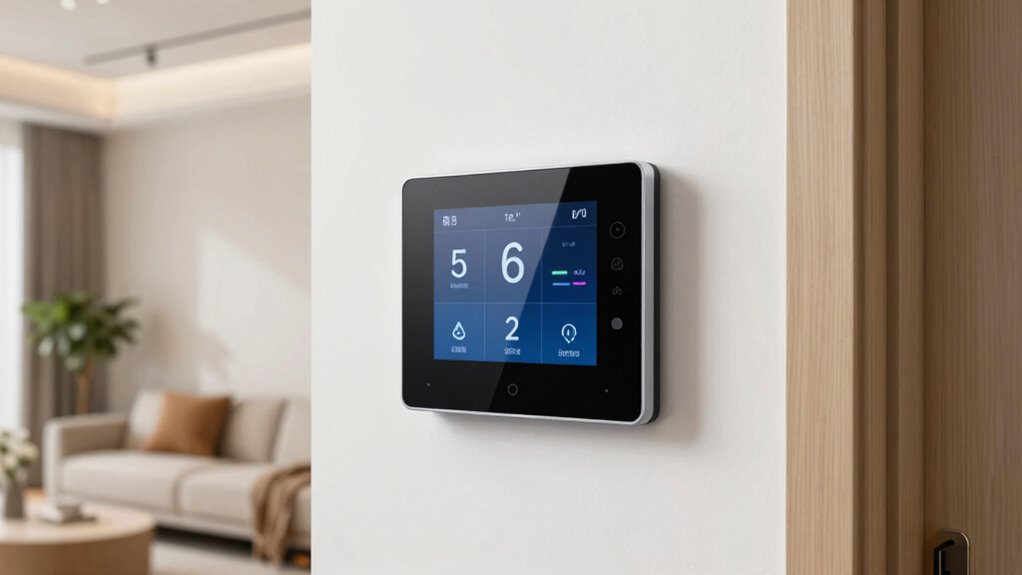

Smart thermostats are now one of the easiest smart home upgrades because they feature straightforward DIY installation with clear instructions. They connect easily to your Wi-Fi and integrate seamlessly with existing heating and cooling systems. Plus, their intuitive apps make setup and customization simple. With automatic scheduling and remote control options, you can save energy and enhance comfort effortlessly. Keep exploring to discover how these devices can transform your home for less effort than you might expect.

Get movie nights delivered free with Prime
- Fast, free delivery on millions of items
- Prime Video, Amazon Music and more included
- Member-only deals all year
Key Takeaways
- Simple DIY installation with clear instructions makes upgrading accessible for most homeowners.
- Compatibility with a wide range of HVAC systems reduces installation complexity.
- User-friendly smartphone apps streamline setup and customization processes.
- Integration with existing smart home devices enhances automation without technical hurdles.
- Automatic energy management features provide immediate benefits, encouraging adoption.

Upgrading your home with a smart thermostat is one of the easiest ways to enhance comfort and save energy. These devices are designed to integrate seamlessly into your daily life, offering you more control over your heating and cooling systems without the hassle. One of the biggest reasons smart thermostats are such a popular upgrade is their ability to deliver significant energy savings. By learning your schedule and preferences, they optimize temperature settings, reducing unnecessary energy use when you’re away or asleep. This not only lowers your utility bills but also helps you contribute to a greener environment.
The installation process for a smart thermostat is straightforward, even if you’re not tech-savvy. Many models are designed for DIY installation, with clear instructions and user-friendly interfaces. Typically, you start by turning off your HVAC system, removing the existing thermostat, and connecting the new unit by matching wires according to the instructions. Most smart thermostats are compatible with a wide range of heating and cooling systems, and if you encounter any compatibility issues, customer support or online guides are readily available to help. Once installed, you connect your device to Wi-Fi, download the corresponding app, and follow the setup steps to customize your preferences. This quick process often takes less than an hour, making it an accessible upgrade for most homeowners. Additionally, understanding affiliate marketing and the importance of transparency can help you make informed decisions about product choices and features. Moreover, researching energy efficiency ratings can ensure you select a model that maximizes savings and performance.
Furthermore, many smart thermostats incorporate compatibility protocols that enable smooth integration with other smart home devices, enhancing the overall automation experience. Implementing smart home integration can further streamline your household management and maximize energy savings.
The real advantage lies in the ongoing energy savings. Smart thermostats utilize algorithms and user behavior data to adjust temperatures automatically, ensuring comfort without wasting energy. You can also control your thermostat remotely through your smartphone, giving you the ability to adjust settings while you’re away or on vacation, preventing energy waste and saving money. Additionally, many models provide detailed energy usage reports, helping you understand your consumption patterns and make smarter choices over time.
Popular right now

Ninja Foodi DualZone Smart XL Air Fryer, 10 Qt, 6-in-1, Black (DZ550)

Samsung 43-Inch M70H Series 4K Mini LED Smart TV (2026)

eufy C28 Robot Vacuum and Mop for Pet Hair, 15,000 Pa
As an affiliate, we earn on qualifying purchases.
Frequently Asked Questions
Can I Upgrade My Old Thermostat to a Smart One Myself?
Yes, you can upgrade your old thermostat to a smart one yourself. Start with DIY installation by turning off your power and removing the old thermostat. Then, perform compatibility checks to verify your system supports the new smart model. Follow the manufacturer’s instructions carefully, connect the wires correctly, and install the smart thermostat. With some patience and basic tools, you can enjoy the benefits of a smart thermostat without professional help.
Do Smart Thermostats Work With All Heating and Cooling Systems?
Smart thermostats work with most heating and cooling systems, covering over 90% of homes, making them a versatile upgrade. They enhance energy efficiency and user convenience by learning your schedule and adjusting settings automatically. However, some older or specialized systems may need adapters or additional wiring. Before installing, check compatibility with your system to guarantee seamless operation and maximum benefits, like savings and easier climate control.
How Secure Are Smart Thermostats From Hacking or Data Breaches?
Smart thermostats are generally secure, but you should stay cautious. They use data encryption to protect your information, making hacking more difficult. However, privacy concerns remain because some devices collect and store your data. To stay safe, keep your firmware updated, use strong passwords, and enable two-factor authentication when possible. Being aware of these security measures helps guarantee your smart thermostat stays both functional and protected from breaches.
What’s the Typical Cost Difference Between Standard and Smart Thermostats?
A standard thermostat costs a fraction of what a smart thermostat does—sometimes just a little more than a coffee! Typically, smart thermostats range from $100 to $250, while standard models are often under $50. But with energy savings and advanced features, the extra investment pays off quickly. Installation complexity varies, but most smart thermostats are designed for easy setup, making the upgrade smooth and straightforward.
How Often Do Smart Thermostats Need Software Updates?
Smart thermostats typically need software updates a few times a year, depending on the manufacturer. These updates improve energy savings and enhance user convenience by fixing bugs and adding features. You’ll likely receive notifications when updates are available, and installing them is simple. Regular updates guarantee your thermostat operates efficiently, helping you save on energy bills while providing a seamless, user-friendly experience.
Conclusion
So, why not give in to the tempting allure of a smart thermostat? It’s so simple, even your grandma could do it—probably while texting you about her “fancy new gadget.” Now, you can sit back, relax, and watch your energy bills plummet, all while feeling like a tech genius. Who knew upgrading your home could be this effortless? Go ahead, make your life smarter and your wallet happier—because if not now, when?